



Blacktop Police Chase
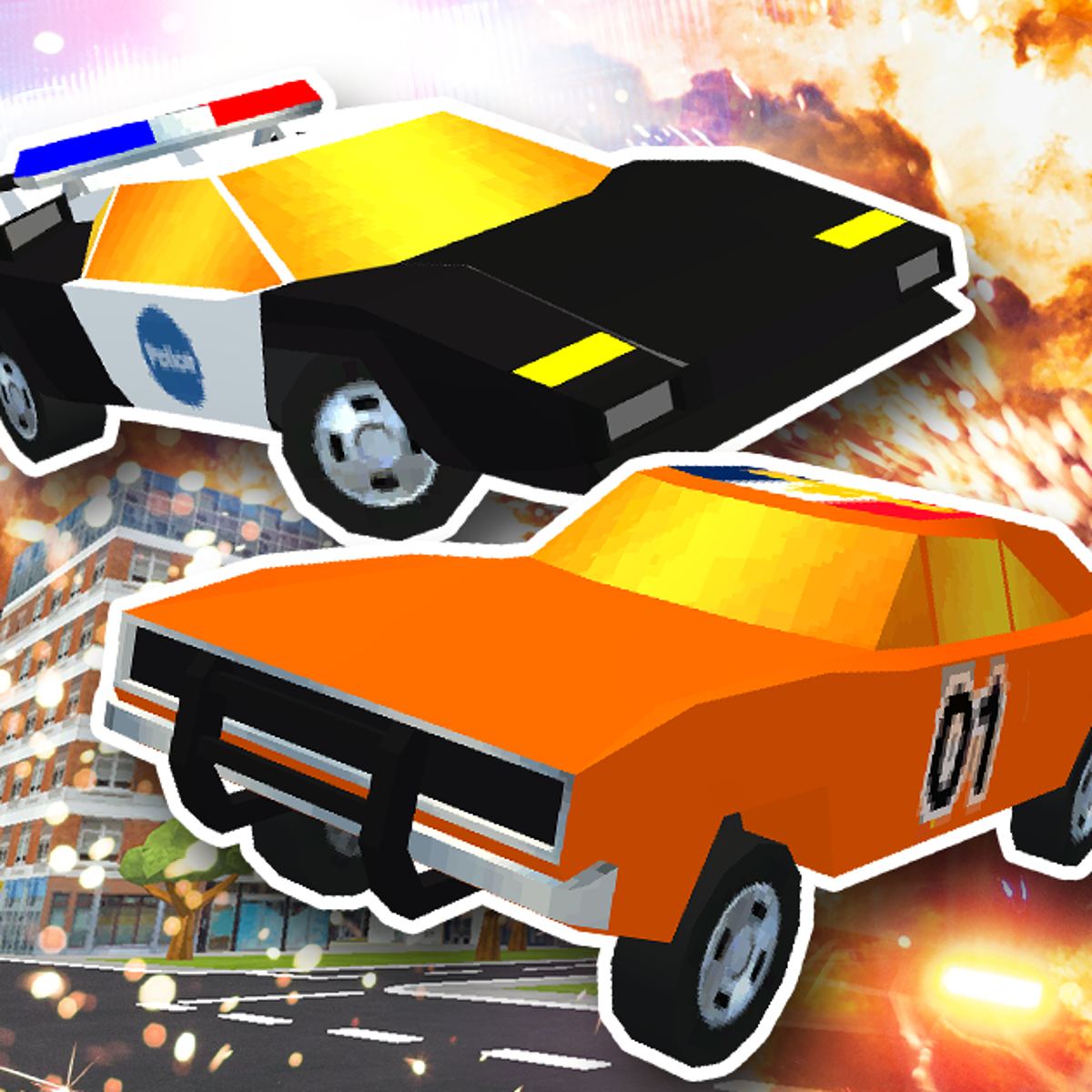
You know that moment in an action movie where the getaway car screeches around a corner, tires smoking, while a dozen police cruisers close in from every direction? Blacktop Police Chase lets you live that fantasy—except you’re the one behind the wheel, and the cops are very, very persistent. Developed by Steelpan Interactive, this browser-based driving game cuts the fluff and gets straight to the point: pick up bank robbers, outrun the law, and drop them off at a safe house for cold, hard cash. Then you do it again, faster and richer.
The tension is what makes it stick. Every run starts with a simple pickup, but within seconds you’ve got sirens wailing in your rearview mirror. The police don’t follow a script—they react, block intersections, and ram you if they get close. You’re not racing against a clock; you’re racing against a net that tightens the longer you stay in the open. The game rewards aggression and smart driving in equal measure, and that balance keeps you coming back for “just one more run.”
The upgrade system is surprisingly generous. The starter car is a clunker—handles like a shopping cart, accelerates like a lawnmower. But every successful delivery piles up cash, and soon you’re eyeing a sleek sports coupe or a hulking truck that can shrug off collisions. The progression feels earned, not handed out. You want that next vehicle because you’ve felt the pain of being outrun by a cop car that’s simply faster than yours.
How to Play
The objective is straightforward: drive to a marked location, pick up a group of bank robbers, then deliver them to a safe house somewhere else on the map. The catch? Police spawn the moment you grab your passengers, and they keep coming until you either lose them or get busted. You earn money based on successful deliveries, and that money unlocks new vehicles and upgrades.
Desktop controls are standard for a driving game. Use the W, A, S, D keys or the arrow keys to steer and accelerate. The Spacebar acts as your brake—tap it to drift around tight corners or hold it to scrub speed before a hairpin. B lets you look behind you, which is crucial for knowing whether you’ve shaken a tail. Shift resets your car if you get stuck on geometry or flip over (yes, you can flip). The reset is a lifesaver when you wedge yourself between a lamppost and a barrier—happens more often than you’d think, especially in the narrow alleys near the industrial district.
Mobile controls are adapted for touchscreens. You’ll see virtual buttons on the left and right sides of the screen: a steering wheel or directional pad on the left, and gas/brake pedals on the right. The look-behind button is usually placed near the top corner. The mobile version works well, though precise drifting is a bit trickier without physical keys. If you’re serious about high scores, a keyboard or controller is the way to go. On a phone, I’ve found that tapping the brake just before a turn and then sliding your thumb across the steering pad gives you a decent drift, but it’s never as crisp as a keyboard tap.
The game doesn’t hold your hand. There’s no tutorial pop-up explaining every nuance. You learn by crashing, by getting caught, by realizing that slamming the gas through a crowded intersection is a terrible idea. That’s fine—the core loop is simple enough that you’ll figure it out in a few minutes. But there are layers beneath that simplicity. For instance, the police don’t all spawn at once. They trickle in from the edges of the map, and their initial positions depend on your route. If you take a direct path from pickup to safe house, you’ll run into a roadblock every time. If you zigzag through side streets, you’ll face fewer cops but they’ll be more aggressive once they find you. That’s the kind of nuance you only pick up after a dozen runs.
Features and Progression
Blacktop Police Chase isn’t packed with modes. There’s no career ladder, no time trials, no multiplayer. It’s a single-minded chase simulator, and that focus is part of its charm. But within that simplicity, there’s enough depth to keep you engaged for hours.
Vehicle upgrades are the main hook. You start with a basic sedan that feels like it’s made of paper mâché. As you stack cash, you can buy faster cars with better handling, or go for heavy trucks that can plow through roadblocks. Each vehicle has distinct stats—speed, acceleration, durability, and braking—so choosing the right one for your driving style matters. The sports car is great for weaving through traffic, but it crumples if a police SUV rams you. The truck can take a beating, but it turns like a cruise ship. There’s also a mid-tier coupe that balances speed and toughness—it’s my personal favorite for most runs. It doesn’t have the top-end speed of the sports car, but it can survive a few collisions without losing control, and its braking is good enough for sharp turns.
The upgrade system has a few quirks worth noting. You don’t just buy a car and keep it forever. Each vehicle has a durability meter that depletes as you take damage. If it hits zero, the car is wrecked and you have to buy a new one. That means you can’t just buy the best car once and coast. You need to manage your fleet, or at least have enough cash saved for a replacement. It’s a small pressure that keeps you from getting too comfortable. I’ve lost a top-tier sports car to a single bad crash—a police SUV T-boned me at an intersection, and the durability bar dropped from full to empty in one hit. That stung, but it also taught me to respect the physics.
Police AI deserves a mention. The cops don’t just follow a single path. They try to box you in, set up roadblocks ahead of your route, and even attempt a pit maneuver if they get alongside. The difficulty scales as you earn more money—later runs feel like a full-scale manhunt, with multiple cruisers coordinating their attacks. It’s not unfair, but it demands constant attention. Early on, you might face two or three police cars that chase you in a loose formation. After a few successful deliveries, that number jumps to six or seven, and they start using tactics. One car will try to ram you from behind while another cuts you off from the side. A third might park diagonally across an alley you were planning to use. The AI learns your patterns too—if you always take the same shortcut, you’ll find a cruiser waiting there on your next run.
The look-behind mechanic (B key) is a small feature that changes everything. Without it, you’re driving blind. With it, you can time your turns, know when to brake, and see if that cop car is about to ram you from the side. It’s a simple addition, but it turns the game from a frantic mess into a tactical escape. I’ve learned to tap B every two or three seconds, even when I think the coast is clear. Sometimes a cop car will appear from a side street and be right on your tail without you hearing the siren. The visual cue from the look-behind is faster than audio. It also helps you judge distance—if a cop is far back, you can take a wide turn. If they’re close, you need to brake hard and cut sharply.
Visual feedback is clean and readable. The map is a generic urban grid with highways, alleys, and open plazas. Your destination is marked with a waypoint, and police cars have flashing lights that are easy to spot even at speed. The camera sits behind your car, giving you a good view of the road ahead and a partial view of the sides. It’s not a cinematic masterpiece, but it’s functional and never gets in the way. One thing I appreciate is the way the screen shakes when you take a hit—it’s subtle enough not to disorient you, but it gives you a physical sense of impact. The sound design is minimal but effective: the engine growls when you accelerate, the tires screech on sharp turns, and the police sirens change pitch as they get closer. It’s enough to keep you immersed without being overwhelming.
The map itself has a few distinct zones. The downtown area has tight streets and lots of intersections, which is great for shaking tails but dangerous because cops can pop out from any direction. The industrial district has wider roads and fewer obstacles, but the police can see you from farther away and will set up roadblocks on the main drags. The residential area is a mix of narrow streets and cul-de-sacs—good for hiding, but you can easily get trapped if you don’t know the layout. Learning the map is a big part of getting good at the game. I’ve memorized three or four shortcuts that cut across blocks, and I use them every run. One alley near the pickup zone in the industrial district is wide enough for a car but not for a police SUV, so you can squeeze through while they get stuck. That kind of knowledge comes from trial and error.
Tips and Strategies
You can brute-force your way through the early runs, but the police will catch up eventually. Here’s what actually works.
Use the look-behind button constantly. I cannot stress this enough. New players treat it like a rearview mirror they check once every ten seconds. That’s a mistake. Tap B every few seconds to see where the closest cop is. If you see one gaining, you can brake early and let them overshoot, then cut into a side street. If you see a cluster behind you, you know to take a sharp turn to break line of sight. This one habit will double your survival rate. I’ve had runs where I checked behind me, saw a cop about to ram me, braked hard, and watched them fly past into a wall. That moment of awareness saved the delivery.
Brake before corners, not during. The default instinct is to drift through every turn at full speed. That works in arcade racers, but here it usually ends with you sliding into a wall or a police car. Tap the brake before the turn, steer into it, then accelerate out. You’ll lose less speed and maintain control. Practice this on the wide boulevards first. The difference is night and day—a well-executed corner keeps your momentum while a sloppy drift leaves you spinning. If you’re on mobile, the timing is trickier because the virtual brake pedal has a slight delay. Tap it a fraction of a second earlier than you think you need to.
Learn the map’s shortcuts. The city has alleys that cut between main roads, and some of them are wide enough for your car. These alleys are gold for shaking pursuers because cops often take the long way around. Look for gaps between buildings, especially near the pickup zones. A good shortcut can shave seconds off your delivery time and break the police’s formation. One shortcut I use regularly is a narrow passage behind the gas station in the residential area. It’s barely visible on the map, but it connects two main streets and lets you bypass a busy intersection where cops tend to cluster. The first time I found it, I was being chased by four cars and I ducked into that alley—they all overshot and I lost them in ten seconds.
Don’t hoard cash. It’s tempting to save up for the most expensive car, but the mid-tier vehicles are often better value. The first upgrade—a slightly faster sedan—costs a fraction of the top-tier sports car and makes a noticeable difference. Buy it early, use it to earn more money faster, then upgrade again. The top-tier cars are fun, but they’re not necessary to complete runs. I bought the sports car after saving for a while, and while it was fast, I crashed it within three runs because I couldn’t handle the lack of durability. The mid-tier coupe, on the other hand, I’ve kept for dozens of runs. It’s a solid all-rounder.
Watch your speed in tight areas. The game’s physics model punishes overconfidence. If you’re flying down a narrow street and a police car pulls out of a side road, you’ll have maybe half a second to react. Slow down in areas with lots of intersections. It’s better to arrive late than to crash and lose your passengers. I’ve lost count of how many times I’ve been doing great, then sped through a residential area and got T-boned by a cruiser that appeared from nowhere. Now I tap the brake whenever I approach an intersection I can’t see through. It costs a little time, but it saves the run.
Use the reset button (Shift) if you get stuck. Sometimes you’ll wedge your car between a barrier and a wall, or flip onto your roof. Don’t waste time trying to wiggle free. Hit Shift, and you’ll respawn on the road nearby. You lose a bit of momentum, but it’s better than sitting still while the cops close in. The reset also clears any police cars that were directly on top of you—they’ll respawn a short distance away, giving you a second chance. I’ve used this trick to escape a pincer maneuver more than once. Just be careful not to reset into a worse position. The game tries to put you on the nearest clear road, but sometimes that road is still in the middle of a chase.
Use the environment to your advantage. The map has barriers, construction cones, and parked cars that you can use to block pursuers. If you drive through a narrow gap between two parked trucks, a police car might try to follow and get stuck. The AI isn’t perfect at navigating tight spaces. I’ve lured cops into dead-end alleys, then doubled back while they were stuck trying to turn around. It’s a cheap trick, but it works. Also, the highway overpasses have pillars that you can weave around—cops will sometimes crash into them if you brake at the last second.
Plan your route before you pick up the robbers. The pickup zone is marked on the map, and you can see the safe house location before you grab the passengers. Take a moment to plot a path that avoids main roads and uses shortcuts. If the safe house is on the other side of the map, don’t take the direct highway—you’ll get swarmed. Instead, cut through the industrial district and use the alleys. I always spend five seconds looking at the map before I start the pickup. That planning phase has saved me countless times.
Common Mistakes
Even experienced drivers fall into these traps. Avoid them and you’ll save yourself a lot of frustration.
Ignoring the minimap. The game has a small map in the corner that shows your position, the destination, and nearby police icons. New players fixate on the road ahead and forget to glance at it. That’s how you end up driving into a dead end or straight into a roadblock. Check the map every few seconds, especially when you’re near the safe house. The police icons update in real time, so you can see if a cruiser is about to cut you off from the side. I’ve learned to split my attention: eyes on the road for obstacles, eyes on the minimap for police positions. It takes practice, but it becomes second nature.
Braking too late. The police cars have better acceleration than your starter vehicle. If you brake late, they’ll catch up and ram you before you can turn. Brake early, turn sharply, and let them overshoot. It feels counterintuitive—you want to go fast—but controlled deceleration wins chases. I’ve seen players floor it until the last second, then slam the brakes and spin out. That’s a guaranteed loss. Instead, start braking about half a block before the turn. You’ll lose some speed, but you’ll maintain control and the cops will fly past you.
Driving in a straight line for too long. The police are fastest on straight roads. If you stay on a main avenue for more than a few seconds, they’ll swarm you. Zigzag through side streets, take sudden turns, and use the environment to break line of sight. The longer you stay in one direction, the more cops will box you in. I’ve noticed that the AI predicts your trajectory if you’re going straight—they’ll start setting up roadblocks ahead. If you change direction frequently, they have to recalculate, which buys you time.
Buying the wrong car. The heavy truck looks cool, but it’s terrible for tight turns. The sports car is fast but fragile. Read the stats before you buy. If you’re struggling with police ramming, go for a car with higher durability. If you keep getting caught on straights, prioritize speed. There’s no one-size-fits-all vehicle. I made the mistake of buying the truck early because I thought it would let me plow through roadblocks. It did, but it also made every turn a nightmare. I switched back to the coupe and immediately started surviving longer.
Forgetting to look behind you before a turn. This is the most common mistake. You’re approaching a corner, you brake, you turn—and a cop car that was right behind you rams you sideways. If you had checked behind, you would have seen them and braked harder or taken a different route. Make it a habit: look back before every major turn. I’ve trained myself to tap B as I approach any intersection, even if I think I’m clear. It takes half a second and can save the entire run.
Overusing the drift. The game has a drift mechanic, but it’s not as forgiving as in arcade racers. If you hold the brake and steer, you’ll slide, but you’ll also lose a lot of speed and control. Drifting is useful for sharp 90-degree turns, but for gentle curves, it’s better to just brake and steer normally. I see new players trying to drift every corner, and they end up spinning out or hitting walls. Use drift sparingly—only when you need to make a tight turn at moderate speed.
Not using the reset button. Some players treat the reset as a last resort, but it’s a tool. If you’re stuck on geometry, hit Shift immediately. Don’t try to reverse out—you’ll waste time and the cops will catch you. I’ve seen players spend ten seconds trying to wiggle free while three police cars close in. That’s a lost run. Hit reset, lose a second of momentum, and keep going.
Vehicle Breakdown
Let’s talk about the cars in detail. There are five vehicles available, each with a distinct feel.
Starter Sedan: Handles like a wet sponge. Acceleration is poor, top speed is mediocre, and durability is low. But it’s free, and you can complete early runs with it if you drive carefully. The only advantage is its small size—it can fit through alleys that bigger cars can’t. I used it for my first ten runs, and it taught me the basics of evasion. Don’t expect to win any races, but it’s a decent learning tool.
Mid-Tier Coupe: This is the first upgrade you should buy. It costs about a third of the top-tier sports car, but it’s a massive improvement over the starter. Better acceleration, better braking, and slightly better durability. It’s not the fastest, but it’s balanced. I’ve completed dozens of runs with this car, and it’s my go-to for most situations. It can take a few hits without falling apart, and it handles corners well enough to shake tails.
Sports Car: Fast and agile, but fragile. If you’re confident in your driving and you can avoid collisions, this is the best car for speed runs. It accelerates like a rocket and brakes on a dime. But one solid ram from a police SUV will send it into a spin, and two hits will wreck it. I use this car only when I’m feeling lucky or when I’m going for a high-score run. It’s not for everyday use.
Heavy Truck: The tank. It can plow through roadblocks and shrug off collisions that would destroy a sports car. But it’s slow to accelerate and turns like a cruise ship. You’ll struggle in tight alleys and sharp corners. This car is best for players who prefer a brute-force approach—just ram through everything and hope you reach the safe house before the cops box you in. I’ve had success with it on the highway-heavy routes, but in the downtown area, it’s a liability.
Police Interceptor (unlockable): This is a hidden vehicle you can unlock after completing a certain number of deliveries. It’s a retired police car with balanced stats—good speed, decent durability, and excellent braking. It’s not as fast as the sports car, but it’s more durable. It’s my favorite car in the game, and I use it for almost every run now. The handling is tight, and it feels like it was built for chases. To unlock it, you need to complete 25 deliveries without wrecking a car. That’s a challenge, but it’s worth it.
Police Tactics Deep Dive
The AI in Blacktop Police Chase is surprisingly sophisticated for a browser game. Let’s break down what you’re up against.
The Pincer Maneuver: When two police cars are approaching from opposite directions, they’ll try to box you in. One will come from behind, the other from ahead. If you see this happening, don’t try to outrun them—turn into a side street immediately. The AI is good at predicting your path, so if you stay on the main road, they’ll close the gap. I’ve learned to watch the minimap for two icons converging on my position. That’s my cue to take an unexpected turn.
Roadblocks: The police will set up roadblocks on the route they predict you’ll take. If you’re heading straight for the safe house, you’ll find a line of cruisers blocking the road. The best way to avoid this is to take a non-direct route. If you approach the safe house from a side street instead of the main road, you’ll often find the roadblock is positioned on the main road, leaving the side street clear. The AI doesn’t adapt to your route changes instantly—it takes a few seconds for them to reposition.
Ramming: Police cars will try to ram you from the side or rear. If they hit you from the side, you’ll spin out. If they hit you from behind, you’ll lose speed and control. The best defense is to keep moving and change direction frequently. If you see a cop car pulling alongside you, brake hard—they’ll overshoot and you can accelerate away. Alternatively, if you’re in a heavy truck, you can let them ram you and keep going. The truck can take it.
The Swarm: As you earn more money, the police spawn in greater numbers. In late-game runs, you might face ten or more cruisers. They’ll coordinate to cut off every exit. The only way to survive is to keep moving and never stop. If you pause for even a second, they’ll surround you. I’ve had runs where I was doing well, then I slowed down to check the map, and within three seconds I was boxed in. Keep your foot on the gas.
FAQ
Is Blacktop Police Chase free to play?
Yes. The game is available for free on Poki and other browser game portals. There are no paywalls or microtransactions—all vehicles are unlocked with in-game currency earned through gameplay.
Can I play on my phone?
Absolutely. The game supports mobile browsers with touch controls. The layout is adapted for smaller screens, though precision driving is easier on a keyboard. It runs smoothly on most modern smartphones. I’ve played it on an iPhone 12 and an Android tablet, and both handled it well. The touch controls take some getting used to, but after a few runs, you’ll adapt.
How do I unlock new cars?
Complete deliveries to earn money. After each run, you’ll see a shop screen where you can purchase new vehicles. Prices vary, so start with the cheaper upgrades and work your way up. There’s no premium currency—just cash earned from successful chases. The police interceptor is a hidden unlock—complete 25 deliveries without wrecking a car to get it.
Is there a multiplayer mode?
No. Blacktop Police Chase is a single-player experience. The police are AI-controlled, and there’s no option to race against other players. The focus is entirely on outsmarting the AI chase system. That said, the AI is challenging enough that you won’t miss multiplayer.
What happens if the police catch me?
If a police car rams you enough times or boxes you in, the chase ends and you fail the delivery. You don’t lose money you already earned, but you miss out on the payout for that run. You can restart immediately and try again. The game doesn’t punish you for failure—it just sends you back to the menu. That’s part of its appeal. You can keep trying until you get it right.
Can I save my progress?
Yes. The game saves your cash and unlocked vehicles automatically in your browser’s local storage. If you close the tab and come back later, your progress is still there. Just don’t clear your browser cache unless you want to start over.
Is there a time limit?
No. You can take as long as you want to reach the safe house. But the longer you take, the more police spawn. There’s a