
Eat the world
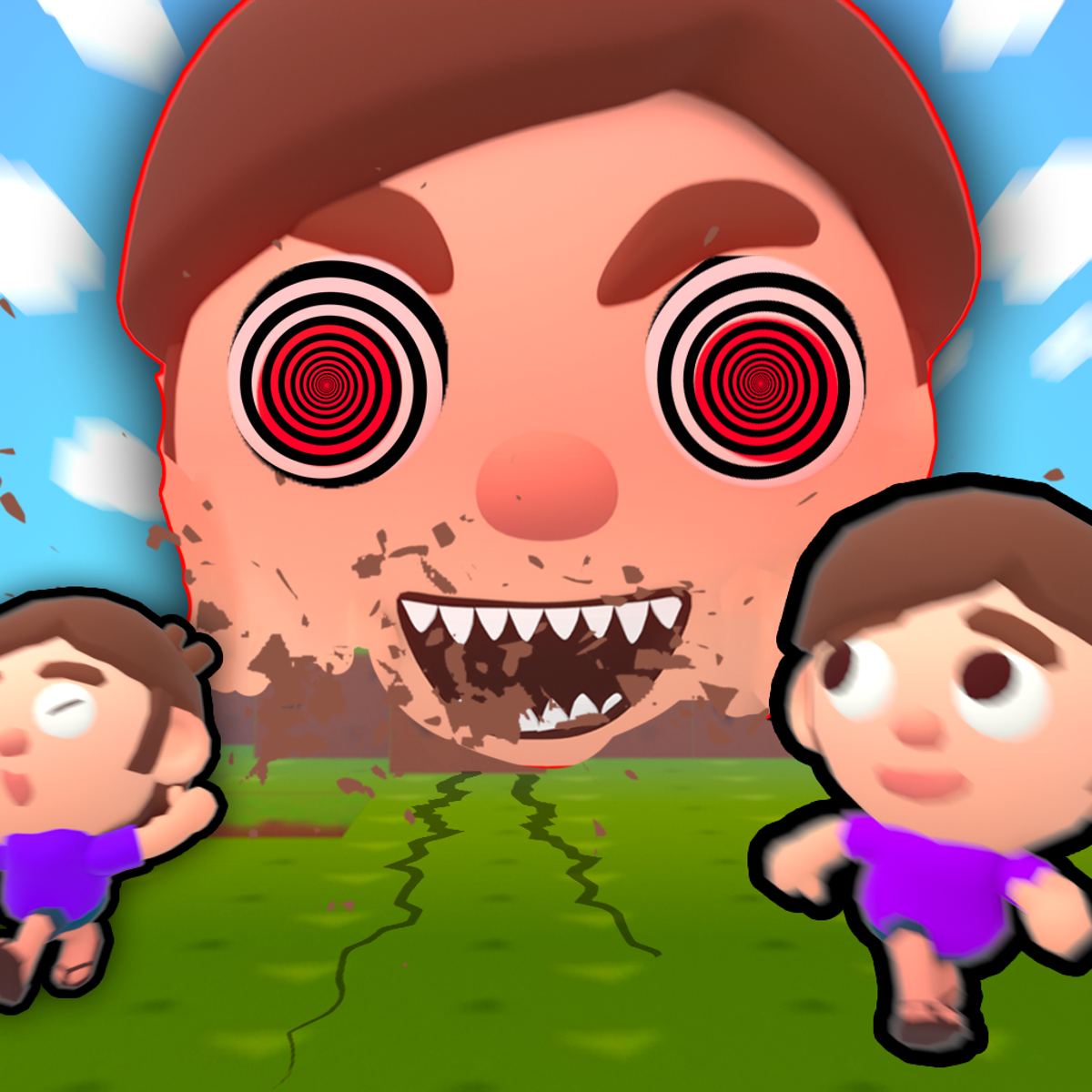
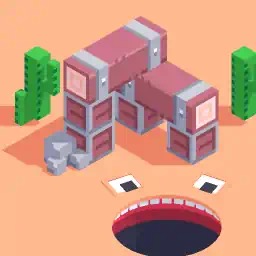
Watching a tiny character grow into a city-devouring monster is deeply satisfying. Eat the world leans into that urge. You start small, munching on rats and baguettes on the streets of Paris. Within a few minutes you’re swallowing cars, trees, and eventually entire buildings. It’s ridiculous, fast-paced, weirdly addictive. The first time I ate the Eiffel Tower, I laughed out loud. The game knows what it is: a power fantasy where you are the hungriest thing in the city, and nothing is off the menu.
You don’t need to think too hard. Move, eat, grow. But underneath that simple loop is a surprisingly flexible sandbox. Different maps change what’s on the menu—schools, candy lands, forests—and a light upgrade system lets you tweak your speed and other stats. There’s even local multiplayer if you want to compete or cooperate with a friend on the same keyboard. It’s the kind of browser game that feels like a quick time-waster but can easily eat an hour of your day. I’ve lost count of how many times I said “just one more round” and then suddenly it’s dark outside.
What keeps people coming back? Partly the leaderboard, which shows how your size stacks up against other players. Partly the pure chaos of throwing objects you’ve eaten (yes, you can fling buildings back at the world). And partly the steady dopamine hit of seeing your character balloon from a pixel to a screen-filling behemoth. It’s junk food for the brain—and I mean that as a compliment. No deep narrative or complex mechanics, just the raw satisfaction of becoming bigger and more destructive. If that sounds like your kind of fun, you’ll love it.
How to Play
The objective is simple: eat everything in sight to get bigger. Your size is measured by how many blocks you’ve consumed, and the game tracks your progress on an online leaderboard. There’s no final boss or story—just the challenge of becoming as enormous as possible before you either get bored or accidentally trap yourself in a corner. The game does a good job of teaching you the basics in the first minute, but a few nuances are worth knowing.
Controls on Desktop
- Movement: W, A, S, D or the arrow keys. Both work, so use whichever feels natural. I prefer WASD because it keeps your left hand near the jump key, but arrow keys are fine if you’re used to them. You can even mix and match in multiplayer.
- Jump: Spacebar. Jumping is essential for reaching objects on rooftops or clearing small obstacles. Don’t forget you can jump while moving. It’s also useful for dodging thrown objects in multiplayer. Get into the habit of tapping space frequently, especially when you’re near walls or fences.
- Eat: Left mouse button. Click on anything you’re close to—food, objects, people, vehicles, buildings. The game highlights what you can eat when you hover. You don’t need to hold the button; just click once per item. If you click rapidly, you’ll eat multiple small items quickly, which is great for early growth.
- Throw: E key. After you’ve eaten something, you can press E to throw it. This is useful for knocking over objects you can’t reach yet, or just for causing mayhem. You can also throw items at other players in multiplayer. The thrown object travels in the direction you’re facing, so aim carefully. Throwing a car at a building can break it into smaller pieces that are easier to eat.
One thing the game doesn’t tell you: you can also use the mouse wheel to scroll through your eaten items if you’ve stored multiple blocks. This lets you choose which object to throw. It’s handy when you want to toss a small rock instead of a giant chunk of building, especially if you’re trying to be precise.
Controls on Mobile
On phones and tablets, the controls are adapted for touch. A virtual joystick appears on the left side of the screen for movement. To eat, you tap on objects. Jumping is handled by a button on the right side. Throwing works by tapping a separate throw button after you’ve consumed something. It’s a bit less precise than mouse and keyboard, but perfectly playable once you get used to it. The game runs smoothly on most modern devices, though I noticed slight lag on older phones when the screen gets crowded with large objects.
A tip for mobile: use two thumbs. Left thumb for the joystick, right thumb for tapping and jumping. The eat and throw buttons are small, so take a moment to learn their positions. If you’re struggling, try playing on a tablet where the buttons are larger. The mobile version also supports landscape mode, which gives you a wider view of the map.
Local Multiplayer
You can play with a friend on the same computer. One player uses WASD and the mouse; the other uses the arrow keys and a different set of controls—typically the numpad or the IJKL keys (the game will tell you at the start). You can either cooperate to eat everything together (which is chaotic fun) or compete to see who grows faster. The map is the same, so expect accidental collisions and stolen bites.
In cooperative mode, you share the same size goal, but each player has their own block count. You can help each other by throwing objects toward your partner or by blocking opponents (if you’re playing against AI). In competitive mode, it’s every monster for itself. I’ve had sessions where my friend and I spent more time throwing things at each other than actually eating. The chaos is part of the charm.
One downside: there’s no online multiplayer. You need a friend physically nearby or use a screen-sharing app. That limits the fun if you’re playing solo, but the local mode is well-implemented and can get very loud.
Features and Modes
Eat the world isn’t just a single map. It offers several distinct environments, each with its own set of edible items and visual style. You unlock new maps as you progress, but the core mechanic stays the same: eat, grow, repeat. The variety keeps the game from feeling stale, and each map forces you to adapt your strategy.
Maps
- Paris: The default map. You start near the Eiffel Tower. Edible items include rats, baguettes, people, cars, trees, lampposts, and eventually the tower itself. The layout is urban with streets and open plazas, making it easy to navigate but also crowded with obstacles. The Eiffel Tower is the biggest prize—eating it gives you a massive size boost, but it takes a while to consume all its blocks. I usually save it for last, after I’ve grown enough to eat it quickly.
- School: A large school building with classrooms, hallways, and a playground. You can eat desks, chairs, chalkboards, students, and even the school bus. The indoor sections are tighter, so you’ll need to manage your size carefully—you can get stuck in doorways if you grow too big too fast. The school map is great for learning how to navigate tight spaces. Pro tip: eat the doors first to widen the passages.
- Candy Land: A colorful, sugary version of the world. Everything is made of candy—gumdrop trees, lollipop lampposts, chocolate buildings. It’s visually delightful and the items are generally easier to eat because they’re smaller. Great for quick growth. The map also has a giant gingerbread house that functions like the Eiffel Tower. Candy Land is my go-to when I want a relaxed, high-score run.
- Forest: A woodland map with trees, rocks, animals, and a river. You can eat deer, bears, and giant mushrooms. The open space makes it good for testing your top speed and throwing mechanics. The river isn’t just decoration—you can eat the water blocks, though they don’t give much size. The forest feels more spread out, so you’ll need to move fast to cover ground.
There’s also a desert map and a space map, but you’ll need to reach higher size thresholds to unlock those. The space map, for example, lets you eat asteroids and satellites. It’s a nice reward for dedicated players.
Upgrade System
After you eat blocks, you can sell them in the upgrade menu. Selling gives you currency that you can spend on permanent stat boosts:
- Speed: Increases your movement speed. This is the most useful upgrade early on because faster movement lets you reach food before others. Maxing out speed makes you feel like a blur on the map.
- Size Capacity: Lets you hold more blocks before you have to sell or throw them. Not essential, but helpful if you want to stockpile for a big purchase later. I usually put a few points into this after speed.
- Eating Range: Increases the distance at which you can start eating objects. Makes it easier to snatch food without getting too close. This is a luxury upgrade—nice to have, but not critical.
- Throw Power: Makes your thrown objects fly farther and hit harder. Fun for multiplayer shenanigans. If you’re playing competitively, invest in this to disrupt your friend.
You can reset your upgrades if you want to try a different build, but it costs a small fee. The system is simple but adds a layer of strategy: do you focus on speed to dominate early, or invest in eating range to hoover up everything around you? I’ve tried both, and speed always wins for me. Being fast lets you control the flow of the game.
Leaderboard
The game tracks your highest size and ranks it globally. You can see how you compare to other players. It’s a nice motivation to keep playing, especially when you’re close to beating a friend’s score. The leaderboard resets periodically, so there’s always a chance to climb. I’ve never hit the top spot, but I’ve broken into the top 100 a few times. The leaderboard also shows the map you played, so you can see which maps are most popular.
Single vs. Multiplayer
You can play alone or with a local friend. There’s no online multiplayer—just couch co-op. That’s a bit of a missed opportunity, but the local mode is well-implemented and chaotic enough to keep two players entertained for a while. Single-player is fine for climbing the leaderboard, but the real fun comes from messing with a friend. If you don’t have a local buddy, you can still enjoy the game solo, but it’s not the same.
Tips and Strategies
After a few rounds, you’ll notice that mindless eating only gets you so far. Here’s what actually works, based on my own trial and error.
Start Small, Eat Smart
In the first 30 seconds, focus on rats, bread, and small objects. They’re easy to eat and build your size quickly. Don’t try to take on a car until you’re at least half its size—you’ll just bounce off and waste time. Once you’re big enough to eat cars, move to trees, then buildings. There’s a natural progression; follow it. In Paris, for example, start with the baguettes on café tables, then pigeons, then people, then mopeds. By the time you’ve eaten a few people, you’re ready for a car.
Use Jump to Reach High Items
Many maps have objects on rooftops or ledges. Jumping lets you snag them early, giving you a size advantage. In the Paris map, for example, there are baguettes on top of awnings. A quick jump and click can net you a free meal while other players are still scrounging on the ground. In the school map, there are apples on the roof of the gymnasium. Don’t ignore vertical space—it’s full of easy food.
Sell Blocks at the Right Time
You don’t have to sell every block you eat. In fact, holding onto blocks increases your size on the leaderboard. But if you’re stuck and can’t reach a new area because you’re too slow, sell a few blocks to buy speed upgrades. A good rule of thumb: sell when you have enough blocks to afford a meaningful upgrade (like +10 speed), then keep the rest for size. Don’t sell everything at once, or you’ll shrink and lose progress.
In Multiplayer, Be a Pest
If you’re playing with a friend, use the throw mechanic to mess with them. Eat a small object, then press E to fling it at your friend. It doesn’t do much damage, but it can knock them off course or steal the food they were about to eat. Also, you can block their path by growing in front of them. It’s all in good fun—just don’t be surprised if they retaliate. I’ve had entire sessions devolve into throwing wars, which is hilarious.
Prioritize Speed Upgrades
Speed is king. The faster you move, the more food you can reach before someone else. Even if you’re smaller, you can outmaneuver a larger opponent and snatch the best items. I usually dump my first few sales into speed until I’m noticeably quicker than the NPCs (or my friend). After that, I invest in eating range. Speed also helps you escape if you get cornered.
Know When to Throw
Throwing isn’t just for trolling. You can use it to clear a path. If a big building is blocking your way, eat a piece of it and throw it aside. Or if you’ve eaten too many blocks and your movement is sluggish, throw some away to lighten up. You don’t lose size permanently—just the blocks you throw. In the forest map, you can throw rocks at trees to knock down fruit. Experiment with throwing to see what works.
Use the Environment
Each map has unique features. In the school map, you can eat the chalkboard erasers to create a dust cloud that obscures vision—useful for sneaking up on an opponent. In Candy Land, the lollipops are sticky and slow you down if you walk over them. Pay attention to these details. They’re not just decoration; they affect gameplay.
Common Mistakes
New players often make the same errors. Avoid these and you’ll grow faster.
Eating Too Fast Without a Plan
It’s tempting to click on everything immediately, but you can get stuck. If you eat a building while you’re still small, you might not be able to move because the building’s blocks surround you. Always eat outward from your current position, leaving an escape route. I’ve been trapped inside a building I was eating, and it’s frustrating. Pace yourself.
Ignoring the Jump Button
I’ve watched friends play and never press space. They miss half the food on the map. Jumping is not optional—it’s essential for reaching elevated items and for navigating obstacles like fences and walls. Get into the habit of jumping while moving. It becomes second nature after a few rounds.
Selling Blocks Too Early
Selling blocks gives you currency, but it also reduces your size. If you sell everything you eat, you’ll stay tiny and never rank on the leaderboard. Only sell when you have enough to buy a meaningful upgrade. Otherwise, keep your size and grow naturally. I see new players sell every block they get, and then wonder why they’re still small.
Not Using Throw
The throw mechanic is underused. Many players eat and never press E. But throwing can break objects you can’t eat yet, knock food toward you, or simply create chaos. In multiplayer, it’s a great way to disrupt an opponent. Try it. Even in single-player, throwing a car at a building can break it into smaller pieces that are easier to eat.
Overlooking Mobile Controls
If you switch between desktop and mobile, the touch controls take a little adjustment. Don’t give up after one try. The virtual joystick works fine, but you need to be deliberate with taps. Also, on mobile, the throw button is small—make sure you don’t accidentally throw your best blocks. Practice on a quiet map like Candy Land before jumping into competitive play.
Ignoring Upgrade Synergy
Some upgrades work better together. For example, speed and eating range complement each other: you can zoom around and eat from a distance. Size capacity and throw power are a good pair if you like hoarding and then flinging objects. Think about your playstyle before spending currency. I wasted a lot of points on throw power before realizing I never throw things in single-player.
FAQ
Can I play Eat the World with a friend online?
No, the game only supports local multiplayer on the same computer. There’s no online matchmaking. You can, however, take turns or use screen-sharing apps if you want to play with someone remotely, but that’s not built in. It’s a shame, because online would make the game much more replayable.
Is the game free to play?
Yes, it’s completely free on Poki. No downloads, no paywalls. The game does show ads between rounds, but they’re short and not intrusive. You can close them after a few seconds. There’s no premium currency or microtransactions, which is refreshing.
What platforms can I play on?
You can play on desktop (Windows, Mac, Linux) through a browser, and on mobile devices (phones and tablets) via the browser. There’s no dedicated app, but the mobile version works well. I’ve played on Chrome, Firefox, and Safari without issues. The game uses HTML5, so it’s compatible with most modern browsers.
How do I unlock new maps?
You unlock maps by reaching certain size thresholds. For example, after you hit 50 blocks in Paris, the school map becomes available. The exact thresholds are displayed in the map selection screen. Keep eating and you’ll unlock them naturally. The later maps require higher sizes—the space map needs 500 blocks, which takes a while.
Can I reset my upgrades?
Yes, you can reset your upgrade points for a small fee (in-game currency). Go to the upgrade menu and look for the reset button. It’s useful if you want to try a different build, but you’ll lose the currency you spent, so think before you reset. I’ve reset twice to experiment, and it’s worth it if you’re stuck.
Does the game save my progress?
Yes, your upgrades and leaderboard scores are saved locally in your browser’s storage. If you clear your cookies or switch devices, you’ll lose your progress. There’s no cloud save, so be careful. I learned that the hard way after a browser cleanup.
Are there any cheats or glitches?
I haven’t found any game-breaking glitches, but there’s a known trick where you can eat objects through thin walls if you’re close enough. It’s not a cheat, just a quirk of the physics. Some players exploit it, but it’s not consistent. The game is generally well-made for a browser title.
---
Eat the world is exactly the kind of mindless, satisfying chaos that makes browser gaming great. It’s easy to pick up, hard to put down, and surprisingly deep for a game about eating buildings. Whether you’re playing alone to climb the leaderboard or competing with a friend to see who can devour Paris first, there’s a weird joy in watching your character grow from a speck into a city-sized appetite. Just don’t blame me if you lose an hour to it. Or two. Or three. I’m not saying I’ve spent an entire afternoon on it, but I’m not saying I haven’t either.