


Brain Test 2: Tricky Stories
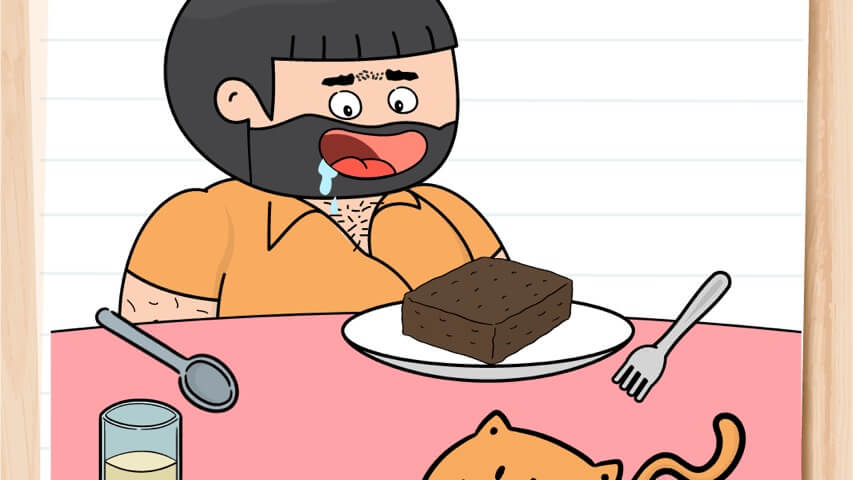
You know that moment when you stare at a puzzle, mutter “no way that’s the answer,” try it anyway, and it works? That’s the whole appeal of the Brain Test series. Brain Test 2: Tricky Stories takes that same mischievous logic and wraps it in mini-narratives. Instead of disconnected puzzles, you follow characters through short, silly adventures—Tom the Cat trying to outsmart a lion, Emily running a farm, Joe hunting monsters. Each story is a handful of levels that share a theme, and every puzzle asks you to think in ways that feel less like a test and more like a prank.
Early on there’s a puzzle with the goal “Make Tom fly.” I spent five minutes trying to attach balloons, tape wings to his back, even drag a fan onto the screen. Nothing. Finally I tapped the word “fly” in the instruction text. That did it. The game literally made the word fly away. That’s the kind of thinking you need—literal, absurd, completely outside the box.
The game doesn’t care about conventional puzzle rules. If you’re used to dragging the right key to the right lock, this one throws a banana peel under your feet. Objects that look decorative might be interactive. Tapping something twice instead of once might be the trick. Shaking your phone? That’s a mechanic. The developers at Unico Studio clearly designed this for short bursts—on the bus, during a commercial break, or when you need a break from actual brain work. The puzzles are bite-sized, but the “aha” moments keep you coming back.
What makes it stick is the humor. The art style is cartoony and expressive, and the solutions are often absurd in a way that makes you laugh after you groan. You’re not just solving puzzles; you’re participating in a joke where the punchline is your own frustration turning into delight. It’s the kind of game you’ll show a friend and say, “Okay, try this one. I dare you to get it without a hint.”
How to Play
The core loop is simple: you’re presented with a scene and a goal. The goal might be a question or a command, like “Help Tom catch the fish” or “Make Emily’s crops grow faster.” You interact with the scene using your mouse cursor on a computer or your finger on a touchscreen. Controls are straightforward—tap or click to select, drag to move objects, and sometimes shake or tilt your device if you’re on mobile.
Here’s the catch: the game rarely tells you exactly what to do. You have to experiment. See a character standing next to a bucket of water? Try dragging the bucket onto their head. See a button that looks like it shouldn’t be pressed? Press it anyway. The game rewards curiosity and punishes overthinking. The most common mistake is assuming the solution will be logical in a real-world sense—it won’t be. The logic here is the logic of a cartoon where gravity only works when it’s funny.
On desktop, left-click to interact. Drag items from one part of the screen to another. Sometimes you need to combine items by dragging one onto another. On mobile, it’s the same gestures—tap and drag. The game also supports tablet play, and the interface scales well to larger screens. There’s no timer, no score multiplier, no pressure. You can take as long as you want, and you can retry a level instantly if you mess up.
One thing to note: the game has ads between levels (it’s free-to-play), but they’re not intrusive. You get a short video after completing a puzzle, and sometimes you can watch an extra ad to get a hint. Hints are vague on purpose—they might highlight an object you already noticed—so don’t rely on them too much.
Here’s a typical interaction. Suppose the puzzle says “Get the key.” You see a locked chest, a bird on a branch, and a piece of cheese on the ground. Your first instinct might be to drag the cheese to the bird to distract it, then grab the key from under the branch. But in Brain Test 2, the key might be hidden inside the bird’s mouth, and you need to tap the bird three times to make it sneeze. Or the key might be drawn on the chest itself, and you need to drag the “key” word from the instruction text onto the chest. The game constantly subverts expectations.
Another important detail: the game uses the entire screen as a playground. Sometimes you need to drag objects off-screen to reveal hidden items. For example, you might drag a curtain to the side to reveal a hidden door. On mobile, you can also tilt your device to make objects roll. I’ve had puzzles where I had to tilt my phone to pour water from a bucket into a cup. The gyroscope is used sparingly, but when it is, it’s always for a good gag.
On desktop, tilting isn’t an option, so the developers usually provide a button that simulates the tilt. Look for a small icon in the corner that looks like a phone rotating. Clicking it triggers the same effect. It’s a thoughtful touch that keeps the experience consistent across platforms.
Game Modes and Features
Brain Test 2 doesn’t have traditional game modes like “Easy” or “Hard.” Instead, the content is organized into story chapters. Each chapter follows a specific character and setting. As of the latest update (August 2024), there are several stories to play through:
- Tom the Cat: Tom needs to defeat the Lion King. This involves a series of puzzles where you help Tom outsmart bigger, stronger opponents. Expect a lot of traps and disguises. One puzzle has you dressing Tom in a lion costume made from a rug and a lampshade. Another requires you to trick the lion into chasing its own tail by tapping the tail repeatedly. The puzzles escalate in absurdity, and by the end, you’ll have Tom riding a unicycle while juggling fish.
- Emily’s Farm: Emily is trying to run a farm, but things keep going wrong. You’ll help her plant crops, take care of animals, and deal with pests. These puzzles are more about cause and effect. For instance, to make her crops grow faster, you might need to drag the sun closer to the plants. Or to scare away crows, you might need to shake your phone to make a scarecrow wave its arms. There’s a puzzle where you have to milk a cow by tapping its udder in a specific rhythm—tap too fast and the cow kicks the bucket.
- Joe the Monster Hunter: Joe is hunting monsters, but he’s not exactly brave. You’ll need to find creative ways to capture or scare off creatures. One puzzle has you hiding Joe inside a trash can, then baiting a monster with a sandwich. Another requires you to build a trap using a net, a rope, and a banana peel. The monster is usually more silly than scary—think a three-eyed blob with a goofy grin. Joe’s expressions change based on your actions, which adds a layer of personality.
- Other stories: The game has added more chapters over time, including one involving a school setting and another with a detective theme. In the school chapter, you help a student cheat on a test by distracting the teacher—solutions include making the teacher’s phone ring or turning the clock forward. The detective chapter has you solving “crimes” like who ate the last cookie, and you need to interrogate suspects by tapping their dialogue bubbles in the right order. The number of levels per story varies, but total puzzles are well over a hundred.
The game also has a “Random” mode that lets you replay any previously solved puzzle. This is useful if you want to show a friend a particularly clever one or just want to laugh at your past struggles. The random mode also shuffles the order, so you might encounter a puzzle you forgot about. It’s a nice touch for replayability.
One feature worth mentioning is the “Hint” system. If you’re stuck, you can watch a short ad to get a hint. The hint is usually a visual clue—a circle around an object you might have missed—or a text tip like “Maybe you need to use something from outside the screen.” It’s not a walkthrough, but it’s enough to nudge you in the right direction. I’ve used hints maybe five times total, and each time it was because I was trying to combine two objects that weren’t meant to be combined. The hint pointed me to a third object I had completely ignored.
The game also tracks your progress with a percentage completion per story. There’s no leaderboard or online competition, which keeps the experience stress-free. It’s just you and the puzzles. The progress bar is satisfying to fill, and it gives you a reason to go back and 100% a story.
Tips and Strategies
After spending time with Brain Test 2, you start to notice patterns in how the developers think. Here are some strategies that will save you from banging your head on the desk.
1. Interact with everything. If you see an object that isn’t obviously part of the scene, click it. That random rock in the corner? Try dragging it. That cloud in the sky? Tap it. The game often hides interactive elements in plain sight. If you’re stuck, start systematically touching every pixel of the screen. Yes, even the character’s hat. I once solved a puzzle by tapping the character’s nose three times—it made him sneeze, which blew away a leaf covering a key. You never know.
2. Think like a cartoon character. The physics in this game are not real physics. You can pull a sword out of a stone by tapping the stone three times. You can make a character fly by taping a balloon to their back. If a solution seems ridiculous, that’s probably the correct one. The game is built on the logic of Looney Tunes and Tom and Jerry. Remember that scene where a character paints a tunnel on a wall and then runs through it? That’s a real puzzle in this game. You literally draw a tunnel by dragging your finger across the wall.
3. Use the environment. Many puzzles require you to manipulate the background. For example, you might need to drag a tree to block a path, or shake your phone to make apples fall from a tree. On desktop, shaking isn’t possible, so the developers usually provide an alternative—like a button that simulates a shake. Also, pay attention to the edges of the screen. Sometimes you can drag objects off-screen to reveal new ones. I had a puzzle where I needed to drag a curtain to the left, and behind it was a hidden door. The game doesn’t always tell you that scrolling is possible.
4. Pay attention to the text. The puzzle prompt often contains a pun or a double meaning. If the prompt says “Make Emily happy,” maybe you need to give her a smiley face drawn in the dirt, not a physical object. The game loves wordplay. In one puzzle, the prompt said “It’s raining cats and dogs,” and the solution was to literally make cats and dogs fall from the sky by dragging a cat and a dog into the clouds. Another prompt said “Help Tom find his way home,” and the solution was to drag the word “home” from the instruction text onto Tom. The text is not just decoration—it’s a tool.
5. Combine items. Sometimes you need to drag one item onto another to create a new item. For example, dragging a match onto a stick might create a torch. The game doesn’t always tell you that combination is possible, so experiment. I recall a puzzle where I needed to create a rope by dragging a bunch of vines together. It took me three tries to realize I had to drag the vines in a specific order. If you’re stuck, try combining every object with every other object. It’s tedious, but it works.
6. Don’t overcomplicate. If you’ve been trying the same approach for five minutes, you’re probably overthinking it. The solution is usually simpler than you think. Step back and ask yourself: what’s the most obvious silly thing I could do? Do that. For example, if you need to open a door, try tapping the door itself. Sometimes it’s just a button. If that doesn’t work, try knocking by tapping the door repeatedly. The game rewards simple, direct actions.
7. Use the pause button. If you’re really stuck, close the game and come back later. Sometimes your brain needs a reset. I’ve solved several puzzles while brushing my teeth, not even looking at the screen. The subconscious works wonders. Also, try explaining the puzzle to a friend out loud. Verbalizing the problem often reveals the solution.
8. Look for patterns across puzzles. The developers reuse certain tricks. For instance, if a puzzle involves a character sleeping, you might need to wake them by tapping their head or making a loud noise. If a puzzle involves a locked door, check if there’s a keyhole you can peek through. Once you’ve played a dozen puzzles, you’ll start recognizing the “language” of the game. It’s like learning a new dialect.
9. Don’t ignore the pause menu. In the pause menu, there’s sometimes a “reset” option that restarts the level. Use it if you’ve moved objects around and can’t remember their original positions. The game doesn’t have an undo button, so resetting is your best friend.
Common Mistakes
New players tend to fall into the same traps. Here are the most frequent ones.
Assuming linear logic. You might think “I need to open this door, so I need a key.” But the key might be inside the door already, or you might not need a key at all—maybe you just need to knock. The game doesn’t follow a straight line from problem to solution. I spent ten minutes trying to find a key for a chest, only to realize I could just drag the chest lid open with my finger. The game doesn’t respect real-world constraints.
Ignoring the title or prompt. The text at the top of the screen is not just decoration. It often contains a clue. For example, if the prompt says “It’s raining cats and dogs,” maybe you need to actually make cats and dogs fall from the sky. Yes, that’s a real puzzle. Another time, the prompt said “Help Tom get the fish,” and the solution was to drag the word “fish” from the prompt onto Tom. The text is interactive.
Trying to solve puzzles like a real person. In real life, if you want to cross a river, you build a bridge or find a boat. In Brain Test 2, you might need to drag the river to the other side of the screen. The game treats the screen as a canvas where anything can be moved. I’ve seen puzzles where you have to drag a mountain out of the way to reveal a cave. The game’s physics are entirely optional.
Not using the hint system. I know, hints feel like cheating. But the game is designed so that even the hint won’t give away the whole answer. It’s more like a friendly tap on the shoulder. If you’ve been stuck for ten minutes, watch an ad. Your time is worth more than pride. The hint might show a circle around an object you overlooked, and that’s often enough to get you unstuck.
Forgetting to drag items onto characters. Sometimes you need to give an item to a character by dragging it onto them. But the hitbox for the character might be smaller than you think. Try dragging the item to their head or hand specifically. I once spent five minutes trying to give a fish to a cat by dragging it to the cat’s body, but the hitbox was only on the cat’s mouth. The game can be finicky about collision detection.
Giving up too early. Some puzzles have a solution that seems impossible until you realize you can drag objects from off-screen. For example, you might need to scroll the screen left or right to find a hidden item. The game doesn’t always show you the full scene at once. On mobile, you can swipe to scroll. On desktop, you might need to drag the screen itself. Look for arrows or scroll bars at the edges.
Trying to solve puzzles in order. The game lets you skip puzzles and come back later. If you’re stuck on one, move on to the next. Sometimes the solution to a later puzzle gives you insight into an earlier one. Also, the game occasionally reuses mechanics, so seeing a similar puzzle later can help.
Ignoring the sound effects. The game has audio cues. When you tap an interactive object, it might make a different sound than a non-interactive one. If you’re playing on mute, you’re missing a layer of feedback. I’ve noticed that objects that can be picked up often have a slight metallic clink when tapped, while background elements sound dull.
FAQ
Q: Is Brain Test 2: Tricky Stories free to play?
A: Yes, it’s free. You can play it in a browser on Poki or as a mobile app. There are ads between levels, and you can watch ads to get hints. No purchase is required to complete the game. On mobile, there’s an option to remove ads for a small fee, but it’s not necessary.
Q: How many levels are there?
A: The game has multiple story chapters, each with around 10–20 puzzles. As of the August 2024 update, there are well over 100 total puzzles. The developers occasionally add new stories. The exact number changes with updates, so check the app store for the latest count.
Q: Can I play on both desktop and mobile?
A: Yes. The game works on desktop (mouse), mobile phones (touch), and tablets. Progress is saved locally in your browser or on your device, but it doesn’t sync between devices unless you use the same account on the mobile app. If you switch devices, you’ll have to start over or replay levels.
Q: What do I do if I’m completely stuck on a puzzle?
A: Use the hint button (watch an ad). If that’s not enough, you can search online for walkthroughs, but I recommend trying a few more times first. The satisfaction of solving it yourself is worth the struggle. There are also YouTube channels dedicated to walkthroughs if you’re truly desperate.
Q: Are there any in-app purchases?
A: In the mobile version, you can purchase an ad-free experience. The browser version on Poki is ad-supported and free. No purchases are needed to progress. The game doesn’t lock puzzles behind a paywall, which is refreshing.
Q: Is this game suitable for kids?
A: Yes. The puzzles are non-violent and the humor is family-friendly. Some puzzles involve mild cartoon slapstick, like a character getting hit on the head with a frying pan, but nothing graphic. The reading level is simple enough for older kids, though younger children might need help with some wordplay. The game also doesn’t have any inappropriate ads.
Q: Does the game save my progress?
A: On mobile, progress is saved automatically to your device. On desktop in a browser, progress is saved using cookies or local storage. If you clear your browser cache, you might lose your progress. The mobile app is more reliable for long-term play.
Q: Is there a multiplayer mode?
A: No, it’s a single-player experience. There’s no online leaderboard or competitive mode. The game is purely about solving puzzles at your own pace.
Q: How often does the game get updated?
A: The developers release new stories every few months. The last major update added the detective chapter. You can follow the game’s social media or check the app store for update notes.
---
Brain Test 2: Tricky Stories is the kind of game that makes you feel both smart and stupid in equal measure. It’s perfect for when you want to kill ten minutes without committing to a long session, and it’s a great conversation starter—everyone has that one puzzle they remember vividly. Just don’t play it while you’re trying to look productive at work, because the “aha” moments are hard to keep quiet. The game’s charm lies in its willingness to break every rule you expect from a puzzle game, and that’s exactly why it works. Whether you’re a veteran of the series or a newcomer, there’s always a new trick waiting to catch you off guard.