






Brain Test 4: Tricky Friends
If you’ve played a Brain Test game before, you know the deal: the answer is never where you expect it, and the puzzles are designed to make you feel clever one moment and totally lost the next. Brain Test 4: Tricky Friends is the latest from Unico Studio’s long-running series, and it does exactly what it says—serving up a fresh batch of head-scratchers wrapped in goofy, hand-drawn art. But this time, there’s a bit more going on beneath the surface.
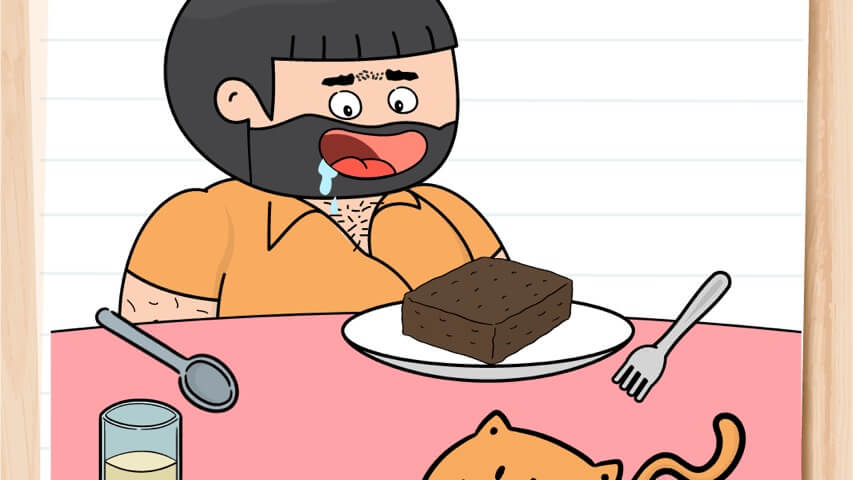
The game introduces a handful of new characters, each with their own personality and role in the puzzles. You might help a grumpy relative calm down, or try to get a family member out of a silly jam. The scenarios are lighthearted and often ridiculous, keeping the tone playful even when you’re stuck on a level for ten minutes. Since each puzzle is self-contained, you can jump in for a quick session or burn an hour without noticing the time slip by.
What makes Brain Test 4 click is that it rewards curiosity. The solutions rarely rely on logic in the traditional sense. Instead, you’re encouraged to poke around, try every object, and sometimes break the rules the game seems to set. It’s the kind of game that makes you feel like a genius when you finally spot the trick—and then humbles you on the next level.
How to Play
The objective in Brain Test 4 is simple on paper: solve each puzzle by figuring out what the game actually wants you to do. The catch is that the instructions are often misleading, incomplete, or just plain weird. You might see “Make the cat happy” and spend five minutes trying to feed it, only to realize you need to tickle it instead.
Controls
- Desktop: Use your mouse to click, drag, and drop objects around the screen. Hover over items to see if they react, and click repeatedly on suspicious-looking things. Some puzzles require dragging objects onto other objects or into specific areas.
- Mobile (phones and tablets): Tap and drag with your finger. Touch controls are smooth and responsive, so you won’t miss the mouse. Pinch-to-zoom isn’t needed—everything fits on one screen.
The game is free to play on Poki, both on desktop and mobile. No download required; it runs right in the browser. You can also play fullscreen by clicking the button in the corner.
Basic flow: You start at level 1 and work your way up. Each level presents a new scene with a written prompt. You interact with the scene—tapping, dragging, shaking (on mobile, physically shake your device for some puzzles), or even waiting a few seconds. Some solutions require combining items, others just need a single tap in the right spot. If you get stuck, there’s a hint button (use it sparingly—solving on your own is more satisfying).
Features
Brain Test 4 doesn’t reinvent the wheel, but it adds a few nice touches compared to earlier entries.
- New cast of characters: The puzzles are loosely tied together by a story about a family and their friends. You’ll meet a grumpy uncle, a mischievous kid, a stressed-out mom, and others. Their expressions and reactions are exaggerated and funny.
- Customization mechanics: For the first time in the series, you can customize certain characters—change their outfits, hats, or accessories. It’s a small feature, but it adds personality and gives you a reason to replay levels.
- Lots of levels: The game launched in February 2024 and has been updated regularly (latest update June 2025). There are well over a hundred puzzles, and new ones are added periodically.
- No time pressure: Every puzzle is untimed. You can sit and think as long as you want, or walk away and come back later. This makes it a great game for casual play.
- Free with ads: On Poki, the game is completely free. You’ll see occasional ads between levels, but they’re not intrusive.
Tips and Strategies
After playing through a good chunk of Brain Test 4, here’s what I’ve learned that actually helps.
1. Read the prompt, but don’t trust it completely.
The game loves to misdirect. If it says “Feed the dog,” you might actually need to feed the cat. Or you need to feed the dog, but the food is hidden behind something else. The words are a hint, not the full answer.
2. Tap everything.
Seriously. Tap every object, every empty space, every character. Sometimes the solution is just tapping a tiny button in the corner you overlooked. Other times you need to tap an object multiple times before it reacts.
3. Drag objects onto each other.
Many puzzles require combining items. For example, you might need to drag a wrench onto a pipe, or a key onto a lock. If you’re stuck, try dragging every item onto every other item.
4. Shake your device (mobile) or move your mouse wildly (desktop).
A few puzzles are solved by physically shaking the phone or rapidly moving the cursor. It feels silly, but it works. On desktop, you can sometimes simulate a shake by clicking and dragging quickly.
5. Use hints as a last resort.
The hint button shows a subtle clue, not the full solution. It’s good when you’re completely lost, but the game is more fun when you figure it out yourself. Plus, hints are limited (you can earn more by watching ads).
6. Pay attention to the background.
Sometimes the answer isn’t in the foreground. There might be a hidden object behind a curtain, under a rug, or in a corner you ignored. Scan the whole screen.
7. Try the opposite of what seems logical.
If a puzzle seems too easy, it’s probably a trap. If it seems impossible, you’re probably overthinking it. The sweet spot is usually something you haven’t tried yet.
Common Mistakes
Even experienced puzzle players fall into these traps.
- Overcomplicating. You see a complex scene and assume you need a multi-step sequence. Half the time, the solution is a single tap on the right spot. Don’t build Rube Goldberg machines in your head.
- Ignoring the obvious. On the flip side, sometimes the answer is staring you in the face, but you dismiss it because it’s too simple. The game is designed to make you second-guess yourself.
- Repeating the same action. If you’ve tapped the same object ten times and nothing happens, stop. Try something else. The game doesn’t reward stubbornness.
- Not reading the prompt carefully. The text often contains puns or wordplay. “Make the fish fly” might mean you need to give it wings, not throw it. Read every word.
- Forgetting to drag. Some players only tap, but many puzzles require dragging an object to a specific location. Always try dragging before giving up.
FAQ
Is Brain Test 4: Tricky Friends free to play?
Yes, you can play it for free on Poki. There are optional ads and hints, but no paywall.
Can I play on my phone?
Absolutely. The game works on both desktop and mobile browsers. Just tap and drag with your finger.
How many levels are there?
The game launched with over 100 levels, and new ones are added through updates. The exact number changes over time.
Are there hints if I get stuck?
Yes. Each level has a hint button that gives you a small clue. You start with a few hints, and you can earn more by watching short ads.
Is this game appropriate for kids?
Yes, it’s family-friendly. The puzzles are silly and the humor is clean. Younger kids might need help with some logic, but it’s a good brain workout for all ages.
Who made this game?
Brain Test 4 is developed by Unico Studio, the same team behind Brain Test: Tricky Puzzles, Brain Test 2, Brain Test 3, and other puzzle games like Who Is? and Word City Crossed.
---
If you’re the kind of person who enjoys puzzles that make you laugh and groan in equal measure, Brain Test 4 is worth your time. It doesn’t take itself seriously, and that’s exactly why it works. Just be prepared to feel very smart one minute and completely clueless the next.