




Coin Factory
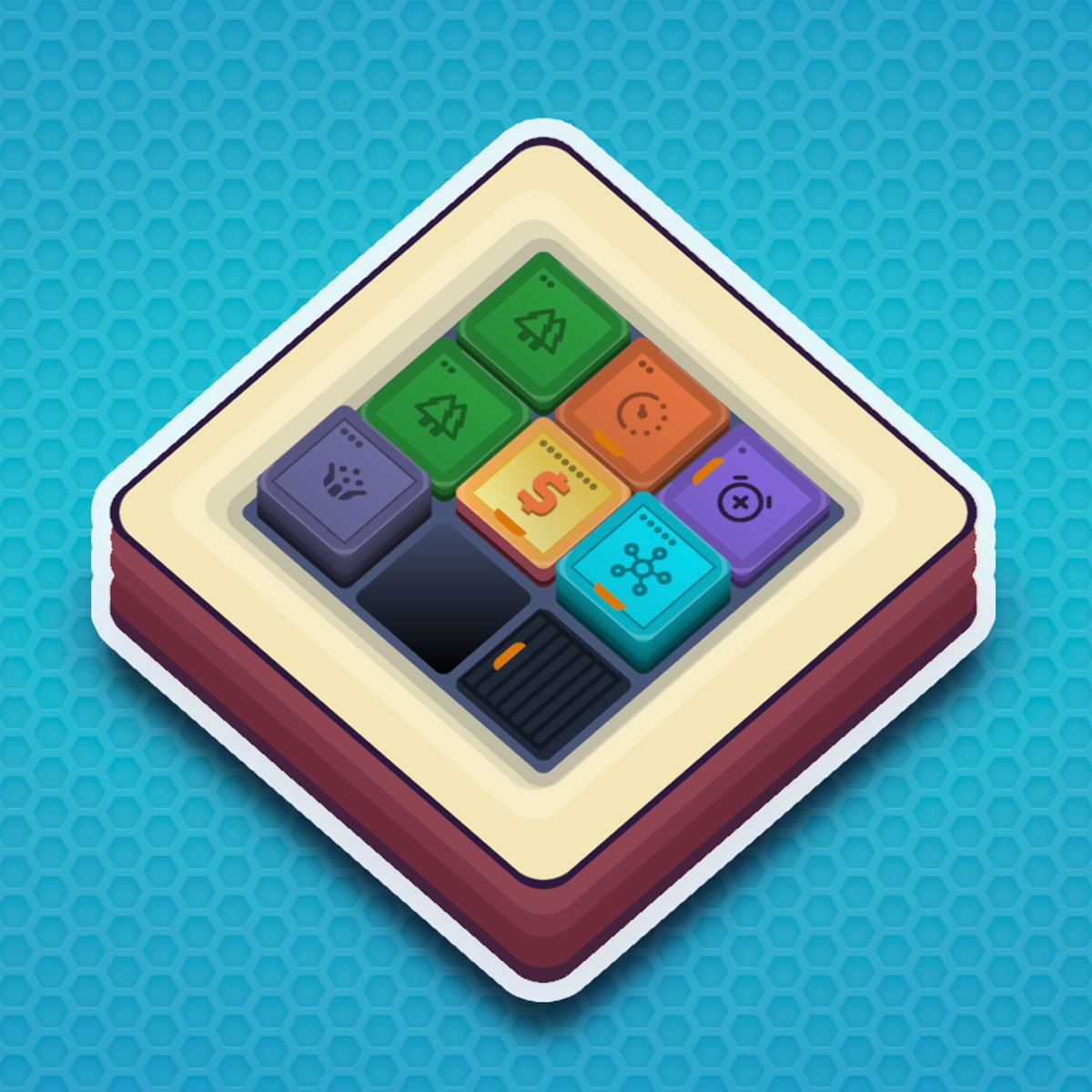
Coin Factory is an idle game that actually demands a little thought before you walk away. You don’t just click a button and watch numbers climb—you lay down conveyor belts, drop accelerators, and reroute coins through overclockers until your factory runs smoothly. It’s a puzzle disguised as a tycoon game, and it’s surprisingly easy to lose an hour to.
The premise is simple: you start with a single coin generator on an empty grid. Coins pop out, you guide them toward an exit, and they turn into cash. But soon you unlock new tiles—jumpers, central units, speed boosters—and the real challenge begins. You’re not just building a factory; you’re designing a production line that makes the most of every tile. The game rewards planning, experimentation, and a willingness to tear everything down and start over when you spot a better layout.
What keeps people coming back is the daily puzzle mode. Every 24 hours there’s a new fixed layout to solve, with limited space and a specific coin target. It’s a puzzle that factory enthusiasts will love. The main sandbox mode is open-ended, but those daily challenges are the highlight.
How to Play
Your goal in Coin Factory is straightforward: produce as many coins as possible and get them to the exit. Each coin that reaches the exit adds to your total. You spend that cash to buy new tiles or upgrade existing ones. The game is idle in the sense that coins keep flowing even when you’re not touching the screen, but you’ll want to check in regularly to tweak your layout.
On desktop, you use the mouse. Click an empty tile to open the build menu, then choose a part (generator, conveyor, accelerator, overclocker, central unit, jumper, or exit). You can also click an existing tile to upgrade or sell it. Drag the camera by clicking and dragging on empty space. Right-click or use a dedicated button to sell tiles quickly.
On mobile, the controls are touch-based. Tap an empty tile to bring up the build menu. Tap and drag to pan the view. Upgrading and selling work the same way—tap on a placed tile. The interface is clean enough that it doesn’t feel cramped on a phone screen, though you might accidentally tap the wrong tile if you have larger fingers. The game saves automatically, so you can close the browser or lock your phone and come back later.
There’s no timer, no lives, no fail state. You can experiment freely. If a layout doesn’t work, sell everything and try again. The only real pressure comes from the daily challenges, which give you a limited number of moves or a fixed budget.
Features
Coin Factory doesn’t have traditional game modes like “campaign” or “endless,” but it does have two distinct ways to play:
- Sandbox Mode: This is the main game. You have a large grid, unlimited time, and access to all tiles (as you unlock them with in-game cash). You build your factory from scratch, expand as you earn more money, and chase ever-higher coin-per-second rates. There’s no win condition—you just keep optimizing.
- Daily Puzzle: Every day a new small grid appears with a preset set of tiles already placed. You have to rearrange or upgrade them to reach a target coin amount within a limited number of actions. These puzzles force you to think differently from your sandbox habits. They’re tough but fair, and they’re the main reason I keep coming back.
The tiles themselves are where the depth comes from. Each one does something different:
- Coin Generator: The source. Produces coins at a steady rate. Upgrade to spawn coins faster.
- Conveyor Belt: Moves coins in a straight line. Basic, but essential.
- Accelerator: Speeds up coins that pass over it. Great for long straightaways.
- Overclocker: Gives a temporary speed boost to nearby generators. Placement matters—you want them close to your generators.
- Central Unit: Acts as a hub. Coins that pass through it get a multiplier on their value. Expensive but powerful.
- Jumper: Lets coins skip over gaps or other tiles. Useful for creating shortcuts or routing coins around obstacles.
- Exit: Where coins need to go. You can have multiple exits, but each one costs money to place.
The interaction between these parts is where the depth comes from. An accelerator before a jumper, for example, can fling coins across the map faster. An overclocker placed next to two generators doubles its effect. You learn these synergies by playing.
Tips and Strategies
After a few dozen hours, here’s what I’ve found works best.
Start small and expand outward. Don’t try to build a sprawling factory right away. Focus on a tight cluster of generators near one exit. Upgrade your first generator to level 3 or 4 before buying a second one. Early cash is precious, and spreading it thin slows your growth.
Use accelerators on the path closest to the exit. Coins that travel a long distance take longer. Speed them up where it counts—right before they reach the exit. Placing accelerators at the start of a line is less effective because coins have further to go.
Central units are late-game items. They’re expensive and take up space. Only place them once you have a steady income and a long conveyor line. A central unit at the midpoint of a long belt multiplies the value of every coin that passes through. One central unit can double your earnings if positioned well.
Jumpers are for problem-solving, not default use. In sandbox mode, you rarely need jumpers unless you’re trying to squeeze coins through a tight space or bypass a slow section. In daily puzzles, jumpers are often essential to reach the target. Get comfortable with how they work by experimenting in sandbox first.
Overclockers stack. If you place two overclockers next to the same generator, the boost compounds. But overclockers also affect generators placed diagonally adjacent, so you can sometimes boost three or four generators with a single overclocker if you plan the layout.
Don’t be afraid to sell. You get back 100% of what you spent on a tile when you sell it. That means you can completely redesign your factory without losing progress. I rebuild my entire layout every few hours once I unlock better tiles. It feels wasteful, but it’s not.
For daily puzzles, count your moves before you start. You usually have a limited number of actions (place, upgrade, sell). Plan your sequence. Sometimes the optimal solution involves selling a pre-placed tile and replacing it with something else. Don’t waste moves on upgrades you don’t need.
Common Mistakes
New players tend to make the same few errors.
Buying too many generators too fast. More generators mean more coins, but each new generator costs more than the last. If you buy a second generator before your first one is upgraded, you’ll have two slow generators instead of one fast one. Upgrading a single generator to level 5 produces more coins per second than five level-1 generators, and it costs less overall.
Ignoring conveyor belt upgrades. Conveyors can be upgraded to move coins faster. A level-3 conveyor is twice as fast as a level-1. If your coins are crawling along, upgrading the belt is often cheaper than adding an accelerator. Check your belt speeds regularly.
Placing exits too far from generators. The closer the exit, the faster coins reach it. It’s tempting to put the exit at the edge of the grid to “save space,” but that just makes every coin travel further. Put the exit right next to your generator cluster, then expand outward later.
Forgetting that coins can overlap. Multiple coins can occupy the same tile at the same time. This means you can pile coins onto an accelerator and get a burst of speed when they all hit the exit at once. New players often leave gaps between coins, thinking they’ll collide. They won’t.
Selling the wrong tile in daily puzzles. There’s no undo. If you sell a generator by accident, you might not have enough cash to buy it back. Double-tap before selling, especially on mobile where the touch targets are small.
FAQ
Is Coin Factory free to play?
Yes. The entire game is free, including the daily puzzles. There are no ads that interrupt gameplay (only optional ones if you want a small cash boost), and no in-app purchases.
Can I play on mobile?
Yes. Coin Factory works in any browser on a phone or tablet. The touch controls are responsive, and the game saves your progress automatically.
How do daily puzzles work?
Every day a new puzzle appears. You have a fixed grid with some pre-placed tiles and a target coin amount. You can only perform a limited number of actions (placing, upgrading, selling). Solve it to earn a bonus that carries over to your sandbox mode.
What happens if I run out of space on the grid?
In sandbox mode, you can expand the grid by spending cash. The cost increases each time, but eventually you’ll have a huge area to work with. In daily puzzles, the grid size is fixed—you have to work within the given boundaries.
Does the game have an ending?
Not really. Sandbox mode is open-ended. You can keep upgrading and expanding forever. The daily puzzles reset every 24 hours, so there’s always something new to solve.
Coin Factory is the kind of game you keep in a browser tab for weeks. You check in during lunch, tweak a conveyor belt, unlock a new tile, and suddenly it’s midnight. Give it a try—just don’t blame me when you lose track of time.