
Sticker Book Puzzle
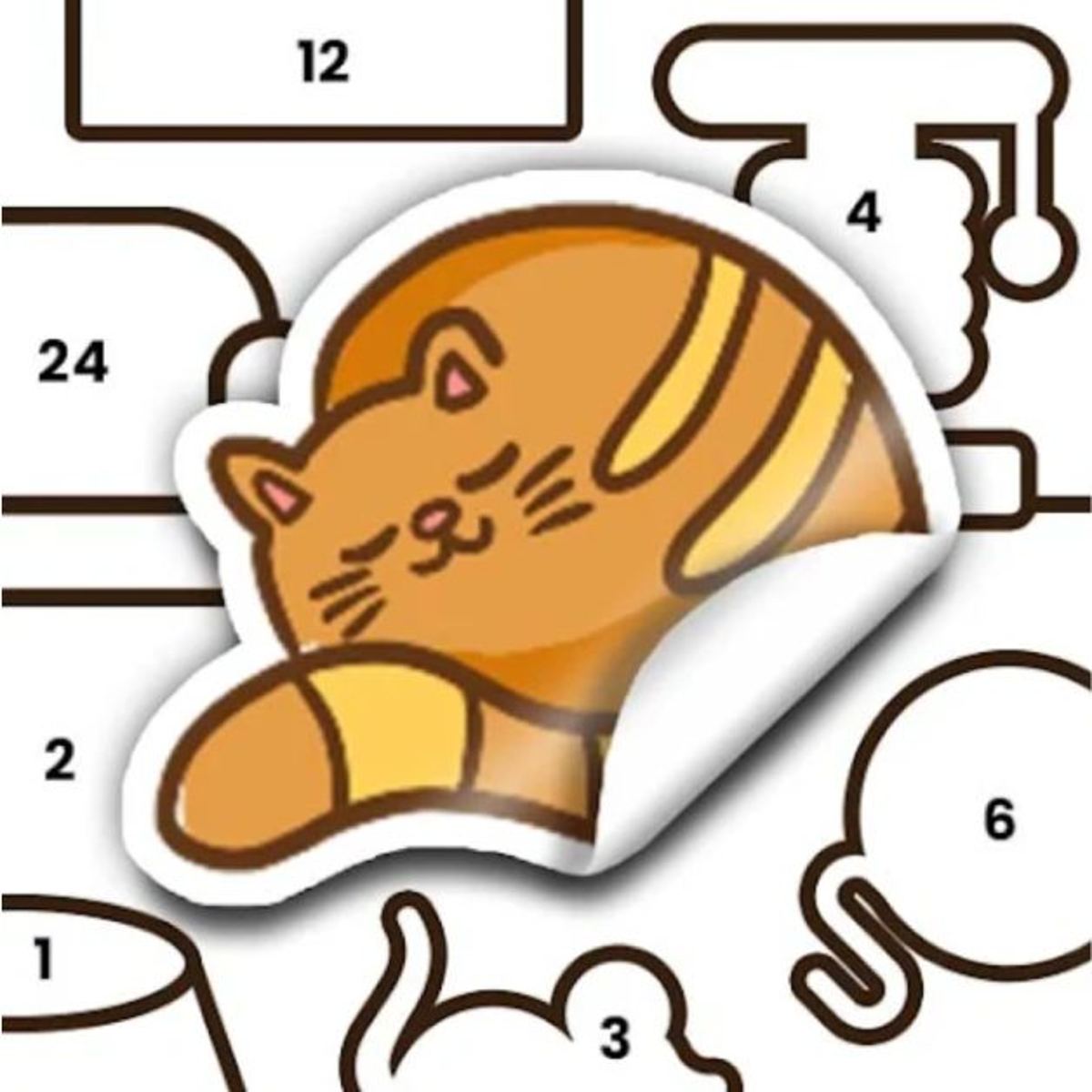
You know that feeling: a fresh pack of stickers, a blank notebook, and the quiet satisfaction of peeling one off and pressing it into the perfect spot. Sticker Book Puzzle taps right into that. This browser game turns a childhood pastime into a proper puzzle challenge. You get a black-and-white page, a pile of colorful stickers, and one goal: fill in the picture correctly. No glue, no mess, no stickers that lose their stick after the third try.
What keeps me coming back is how the game balances relaxation with genuine brain-teasing. Some pages are straightforward—match the shape, place the sticker, done. Others make you think about order, overlap, and orientation. Maybe you’ve got a tree canopy that needs to go behind a house, or a cloud that only fits if you place the sun first. The satisfaction comes from watching a dull outline transform into a bright, complete scene. It’s low-pressure, but you still feel clever when you finish a tricky page.
Lion Studios—the team behind Happy Glass and Mr Bullet—built this one with a clean, colorful art style that works well on both big screens and small phones. The game is free on Poki, and it’s been updated as recently as February 2026. If you’re looking for something to play while you wait for a download, or just want to unwind without a time limit, this is a solid pick.
How to Play
The core loop is simple: you see a page with outlined shapes and numbers, and you have a set of stickers that correspond to those outlines. Your job is to drag each sticker onto its matching spot. The numbers help—each sticker has a number, and each outline has a matching number. But that’s only half the story. The stickers also have specific shapes, and sometimes a number appears on multiple outlines. Then you have to figure out which sticker goes where based on shape and the context of the picture.
Desktop controls: Click and hold a sticker to pick it up. Keep holding as you move your mouse (or finger on a trackpad) to the target area. Release the button to drop it. If you miss the spot, the sticker snaps back to its starting position—no penalty for a bad drop. The cursor changes slightly when you’re over a valid outline, a nice subtle confirmation before you let go.
Mobile controls: Same principle. Touch and hold a sticker, drag it to where you think it belongs, and lift your finger to place it. The game is responsive on both phones and tablets. The stickers are large enough that you won’t accidentally grab the wrong one, even on a smaller screen. I’ve played on a 6-inch phone and a 10-inch tablet, and both felt natural. The only issue I’ve noticed is on very old or low-end devices where the drag can lag slightly—but that’s rare.
No timer, no move counter. You can take as long as you want on each page. If you place a sticker in the wrong spot, tap it to remove it and try again. No penalty for mistakes, so feel free to experiment. The only real pressure is your own desire to see the picture completed. I’ve spent twenty minutes on a single page just because I wanted to get the colors exactly right, and the game never rushed me.
One detail that’s easy to miss: when you pick up a sticker, the outlines that could match it sometimes glow or pulse faintly. It’s not a strong highlight, more like a soft shimmer, but it’s there. Look for it if you’re stuck. Not every outline lights up—only those that share the sticker’s number and approximate shape. This cue becomes more reliable on later pages where the outlines are more distinct.
Game Modes and Features
Sticker Book Puzzle doesn’t have separate modes like “timed” or “endless.” Instead, it presents a series of themed books, each with multiple pages. You start with a simple book—maybe animals or food—and as you complete pages, you unlock more books. Each book has a consistent art theme: one might be all about underwater scenes, another about outer space, another about a busy city street.
Within each book, the difficulty ramps up. Early pages might have only five or six stickers with clear shapes and numbers. Later pages can have twenty or more stickers, with overlapping outlines and subtle shape differences. Some stickers are nearly identical except for a small detail—a window that’s slightly taller, a leaf that’s a different shade of green. In one city scene, I had to place three identical-looking cars, but each had a different number, and the outlines were spaced out across the street. It forced me to pay attention to the numbers rather than just the shapes.
The game also includes a few special sticker types:
- Background stickers – Large, often irregular shapes that fill in the sky, ground, or walls. They usually go down first because they sit behind everything else. In a castle scene, the background sticker was a massive blue rectangle for the sky, covering almost half the page. Placing it first immediately made the rest of the page look more complete.
- Foreground stickers – Smaller details like characters, trees, or signs that go on top. In a farm scene, the foreground stickers included a cow, a fence, and a tractor. The cow had a distinct shape, but its outline was partially hidden behind the fence outline. You had to place the fence first, then the cow.
- Overlap stickers – Designed to partially cover another sticker. For example, a bird might sit on a branch, so you place the branch first, then the bird. In a beach scene, there was a beach ball that overlapped with a towel. The ball had to go on top of the towel, but the towel outline was underneath. If you placed the ball first, you couldn’t see the towel’s outline clearly.
- Transparent stickers – A few stickers have transparent areas, like a glass window or a bubble. These are tricky because the outline might show through after placement, making it look like you placed it wrong even though you didn’t. In a science lab scene, a beaker sticker had a transparent liquid section. The outline of the table behind it was still visible, which confused me at first. The game handles this fine—the sticker is correctly placed—but it’s something to be aware of.
There’s no score or star rating. The only reward is the completed picture and the next page unlocking. It’s a minimalist approach, and it works because finishing a page is its own satisfaction. I’ve found myself flipping through completed books just to admire the collection of finished scenes. Each page becomes a little trophy.
Tips and Strategies
I’ve played through a good chunk of the available books, and I’ve picked up a few tricks that make the harder pages less frustrating.
Start with the largest stickers. The big background pieces are usually the easiest to identify because they match large, obvious outlines. Placing them first also clears visual clutter and gives you a better sense of the page’s layout. Once the background is in, the smaller stickers become easier to position because you can see what’s missing. In a space scene, the background sticker was a dark blue rectangle for the starry sky. After I placed it, the outlines for planets and rockets were much clearer against the black-and-white page.
Use the numbers, but don’t trust them blindly. The numbers are there to help, but sometimes multiple outlines share the same number. When that happens, the shape becomes the deciding factor. Look at the sticker’s outline carefully. Is it a perfect circle? An oval? A jagged edge? Match that to the outline on the page. If you’re stuck, try placing a sticker on a number that seems off—sometimes the game lets you put it there even if it’s wrong, and then you can see the mismatch. I’ve done this intentionally: I drop a sticker on a suspect outline, and if it doesn’t snap into place perfectly, I know it’s the wrong spot. The snap is quite precise; you can feel when it clicks.
Pay attention to the order of layers. In some pages, you need to place a sticker that goes behind another sticker. If you put the foreground sticker first, you might not be able to see the background outline clearly. The game doesn’t force a strict order, but it’s easier if you think about what goes behind what. Usually, the background stickers have larger numbers or are positioned at the edges. In a garden scene, I had to place the dirt background before the flowers and the fence. I tried doing it the other way and ended up with a fence floating in midair—visually jarring, even though the game accepted it. I removed the fence, placed the dirt, and then put the fence back. Much better.
Don’t be afraid to remove and retry. If you place a sticker and it looks wrong, tap it to remove it. No penalty. Sometimes a sticker looks like it fits, but once you place it, you realize the colors clash or the shape doesn’t align perfectly. Remove it and try another spot. I’ve had moments where I placed a tree sticker, and it looked fine from one angle, but after placing a few more stickers, I noticed the tree’s branches overlapped with a house window. I removed the tree, placed the house first, then put the tree back. The game allows unlimited undos, so use them.
Take a break if you’re stuck. The game is meant to be relaxing. If you’ve been staring at a page for ten minutes and can’t figure out where a particular sticker goes, step away. Come back later with fresh eyes. I’ve solved several tough pages by just walking away and returning after a few minutes. In one underwater scene, I was stuck on a coral sticker that had a weird shape. I left to make coffee, came back, and immediately saw that it fit into a gap near the bottom right corner. The break helped me see the outline I had been overlooking.
Use the preview. When you pick up a sticker, the outlines that match its shape and number often glow or highlight slightly. Pay attention to that visual cue. It’s not always obvious, but it’s there. On a busy page with many outlines, this glow can be a lifesaver. In a carnival scene, there were dozens of small outlines for balloons and flags. The glow helped me narrow down which outlines corresponded to the sticker I was holding.
Group similar stickers. If you have multiple stickers with the same number, try placing them in a logical order. For example, if you have three clouds with the same number, place the largest one first, then the medium, then the smallest. The outlines are usually arranged in a way that makes this natural. In a mountain scene, I had four pine trees with the same number. I placed them from left to right, and it worked perfectly.
Look for color clues. Even though the page is black and white, the stickers themselves are colored. Sometimes the color of a sticker hints at where it goes. A bright yellow sticker might be a sun, and there’s only one circular outline in the sky. A green sticker might be a leaf, and there’s a tree outline nearby. Use the colors to guide your guesses. In a zoo scene, I had a brown sticker that looked like a bear, and the only large brown outline was near a cave. Easy.
Check for symmetry. Some pages are symmetrical or have repeated patterns. If you place one half of a symmetrical object, you can often mirror that placement for the other half. In a castle scene, there were two identical towers on either side. Once I placed the left tower, I knew the right tower would go in the corresponding spot. The numbers confirmed it.
Common Mistakes
Even though Sticker Book Puzzle is forgiving, new players tend to make the same errors. Here’s what trips people up.
Placing stickers too quickly. It’s tempting to just grab a sticker and drop it on the first outline that seems close. But that often leads to a mismatch. The outlines can be subtle—a slightly different curve, a missing notch. Slow down. Hold the sticker over the outline and see if it snaps into place. If it doesn’t, it’s not the right spot. I’ve seen players try to force a sticker into an outline by dropping it repeatedly, hoping it will stick. It won’t. The game only accepts a correct match.
Ignoring the numbers. Some players try to solve the puzzle purely by shape, ignoring the numbers. That works for easy pages, but later pages have multiple stickers with similar shapes. The numbers are there to disambiguate. Use them. In a farm scene, I had two identical-looking barns, but one had the number 5 and the other had number 8. The outlines were also numbered 5 and 8. If I had ignored the numbers, I would have swapped them and ended up with a mismatched scene. The game would have accepted it, but the colors would have been off.
Forgetting about layers. As mentioned above, background stickers need to go first. If you try to place a foreground sticker before the background, you might not even see the background outline because it’s covered. The game does allow you to place stickers in any order, but it’s much harder if you don’t think about the z-axis. In a forest scene, I placed a deer sticker before the tree sticker. The deer looked fine, but then I couldn’t find the tree outline because it was hidden behind the deer. I had to remove the deer, place the tree, then put the deer back. Wasted a few seconds, but not a big deal.
Misjudging sticker orientation. Some stickers have a clear top and bottom. A house with a chimney, for example, only looks right if the chimney is pointing up. The outlines on the page usually indicate orientation, but if you’re not paying attention, you might try to place a sticker upside down. The game won’t let you drop it in the wrong orientation, but you might waste time trying. In a school scene, there was a clock sticker that had to be rotated 90 degrees. The outline was oriented vertically, but the sticker was horizontal. I had to rotate it in my mind before placing it.
Getting frustrated with small stickers. On mobile, tiny stickers can be fiddly. If you’re having trouble picking up a small sticker, try zooming in (if your device supports pinch-to-zoom). On desktop, make sure your mouse is steady. The stickers have a generous hitbox, but very small ones still require a bit of precision. In a space scene, there were tiny star stickers that were barely larger than a fingertip. I had to zoom in to place them accurately.
Overlooking the undo. Some players think that once a sticker is placed, it’s permanent. It’s not. Tap or click on a placed sticker to remove it. I’ve seen people restart entire pages because they made a mistake early on. There’s no need. Just undo and try again.
Not using the highlight cue. As mentioned, when you pick up a sticker, matching outlines glow. Many players don’t notice this. Look for it. It’s especially useful on cluttered pages where outlines overlap. In a city scene with many buildings, the glow helped me find the correct outline for a window sticker.
FAQ
*Can I play Sticker Book Puzzle on my phone?*
Yes. The game works on both desktop and mobile browsers. The controls are touch-friendly, and the interface scales well on smaller screens. I’ve played it on an iPhone and an Android tablet without issues.
Is there a time limit or a score?
No. You can take as long as you want on each page, and there’s no scoring system. The only goal is to complete the picture. This makes it a great game for winding down.
How many pages are there?
The game has multiple themed books, each with several pages. The exact number isn’t listed, but it’s enough to keep you busy for a few hours. New content has been added in updates. I’ve completed about six books so far, and there are still locked ones I haven’t seen.
What happens if I place a sticker in the wrong spot?
You can tap or click on the placed sticker to remove it. It goes back to the sticker pile, and you can try again. No penalty. The game doesn’t track mistakes, so feel free to experiment.
Do I need to pay for anything?
The game is free to play on Poki. There are no ads that interrupt gameplay, though you may see some banner ads on the site. No microtransactions are required. It’s a straightforward free experience.
Is there a way to skip a page?
No, you have to complete each page to unlock the next one. But since the game is relaxing, there’s no rush. If you’re stuck, take a break and come back.
Can I play offline?
No, it’s a browser game. You need an internet connection to load it on Poki.
Does the game save my progress?
Yes, the game saves your progress automatically in your browser’s local storage. If you close the tab and come back later, you’ll be where you left off. This works even without an account.
Closing Thoughts
Sticker Book Puzzle is the kind of game you play when you want to turn your brain on just a little bit—enough to feel engaged, but not enough to stress out. It’s perfect for a coffee break, a commute, or a lazy Sunday afternoon. The art is charming, the puzzles are fair, and the lack of pressure means you can play at your own pace. If you enjoy jigsaw puzzles, coloring books, or any kind of “place the thing in the right spot” logic, give it a try. You might end up finishing more pages than you planned.
I’ve spent hours on it, and I keep coming back for the simple joy of completing a scene. There’s something meditative about dragging stickers into place, watching the picture come together piece by piece. It’s not a game that will challenge your reflexes or test your patience. It’s a game that lets you relax while still feeling productive. And sometimes, that’s exactly what you need.