



Nails DIY: Manicure Master
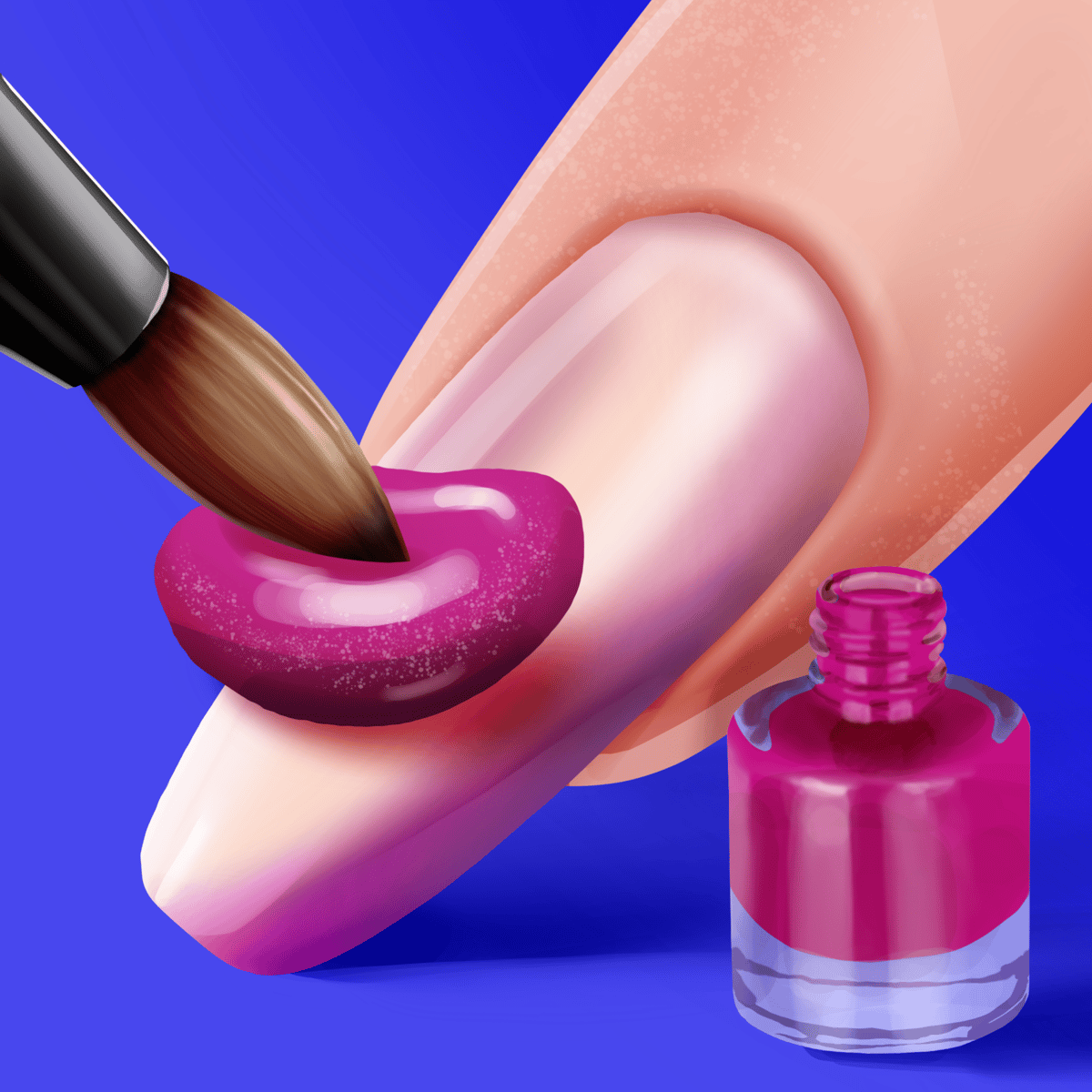
There's a particular pleasure in dragging a brush across a nail and watching the color lay down smooth and even. That simple, tactile reward is the core of Nails DIY: Manicure Master, a browser-based nail art simulator from WeLoPlay. Since its launch in mid-2024, it's gathered a quiet but sizable audience, tallying hundreds of thousands of player votes.
The game puts you behind the desk of a virtual nail salon. You begin with bare hands, select your preferred nail shape and length, then work through a full manicure routine—painting, layering on glitter, applying stickers, sliding on rings, and finally snapping a photo of the finished set. No timers, no impatient clients. Just you, a wide color palette, and a fresh set of nails.
That relaxed loop is why players return. The game rewards experimentation without penalizing mistakes, so you can test wild color combinations or pursue a clean, minimalist aesthetic with equal satisfaction. For anyone drawn to the meditative side of dress-up and beauty games, this one delivers a focused, well-crafted experience.
How to Play
Controls are straightforward, which is part of the game's broad appeal.
On desktop, you use the mouse. Click on a polish color, sticker sheet, or accessory to select it, then hold the left button and drag across a nail to apply. Release to move on. Stickers and rings usually just need a single click to place.
On mobile, it's all touch-based. Tap to choose your tool, then press and drag a finger across each nail to paint. The game runs smoothly in a mobile browser, so no app download is necessary.
The flow follows a logical sequence: choose nail length and shape, paint each finger (colors can vary), add decals or stickers, select a ring or accessory, and end with a photo shoot to admire the complete look. Each stage is clearly marked, preventing you from skipping steps or getting lost.
Game Modes and Features
Nails DIY: Manicure Master isn't trying to be ten games in one. It commits to a single creative loop, and that focus is its strength.
A typical session guides you through these stages:
- Nail Shape and Length — Your first decision. Options range from short and rounded to long and pointed, with variations in between. This choice shapes the entire design, so it's worth a moment of consideration.
- Polish Application — This is the heart of the experience. You have a solid range of colors to choose from, and you paint each nail individually by holding and dragging. There's a real visual payoff when you manage a smooth, even coat.
- Stickers and Decals — After your base color, layer on decorative stickers. The selection includes hearts, stars, flowers, and abstract patterns, leaning toward a playful, youthful aesthetic.
- Rings and Accessories — A final flourish. Choose a ring that complements your design before the closing stage.
- Photo Shoot — The game presents your finished manicure in a clean, screenshot-style frame. It's a small touch, but it provides a sense of closure and makes the result feel worth sharing.
WeLoPlay has continued to support the game since release. The most recent update in early 2026 added new color options and sticker sets, keeping the creative palette fresh for returning players.
Tips and Strategies
Even in a relaxed creative sandbox, a few techniques will elevate your designs.
Match your art to the nail shape you select. Long, stiletto-style nails offer more space for detailed sticker work. Short, rounded nails often look best with bold, single-color applications. Think of the shape as your canvas.
Apply a base color before adding stickers. Treat it like an actual manicure: base coat first, then decorations. Stickers placed on bare nails can look unfinished.
Vary the colors across your fingers. The game allows different shades on each nail. Using two or three coordinating colors creates a more dynamic result than a single uniform hue. Try an accent color on your ring fingers for contrast.
Control your strokes deliberately. Quick, short drags give you more precision than fast, sweeping motions. Rushing often leads to patchy, uneven coverage. Patience yields a cleaner finish.
Leverage contrast. A light polish with dark stickers—or the reverse—makes elements pop more than a design where everything blends together. Consider how the manicure reads from a distance; your final photo will thank you.
Common Mistakes
New players often stumble in a few predictable ways.
Rushing the nail shape selection. It's tempting to grab the default and start painting immediately. But the shape fundamentally influences the final design. A intricate pattern that shines on long nails can look cramped and busy on short ones.
Overloading a single nail with stickers. More isn't always better. Cramming three or four decals onto one nail creates visual noise. One well-placed sticker per nail—or a couple on an accent finger—usually looks cleaner and more intentional.
Treating the ring as an afterthought. Some players skip the accessory step mentally or rush through it. A ring that picks up a color from your design, however, ties the whole look together. It deserves a few seconds of thought.
Painting too quickly. The hold-and-drag mechanic rewards a steady hand. Flicking your cursor or finger rapidly across a nail often results in streaky, incomplete coverage. Slowing down by just a second per nail makes a visible difference.
Sticking to safe colors. If you always default to the same reds and pinks, you miss much of the game's creative range. Some of the most striking designs use unexpected colors—deep blues, emerald greens, even black—as a foundation.
FAQ
Is Nails DIY: Manicure Master free to play?
Yes. It's completely free to play in your browser on sites like Poki. There are no downloads, sign-ups, or hidden paywalls.
What devices support the game?
It works on desktop computers, phones, and tablets. Any modern web browser should run it well. Mobile touch controls are just as responsive as desktop mouse controls.
Who developed the game?
WeLoPlay. They have a portfolio of casual browser games, including Glam Girl: Dress Up and Makeover, Phone CASE DIY, and Lips DIY Master. Their specialty is creative, pick-up-and-play beauty and design titles.
Can I save or share my designs?
The photo shoot at the end of each session gives you a clear view of your finished manicure. You can use your device's screenshot or screen-capture function to save or share that image.
Has the game received updates?
Yes. WeLoPlay has released updates since the initial July 2024 launch, with the latest one in January 2026. These have introduced new polish colors, stickers, and accessories over time.
---
If you find satisfaction in creating something small and polished—no high scores, no stress, just color and creativity—Nails DIY: Manicure Master is a solid pick for a few minutes of browser-based relaxation.