




Tiger Tank 2
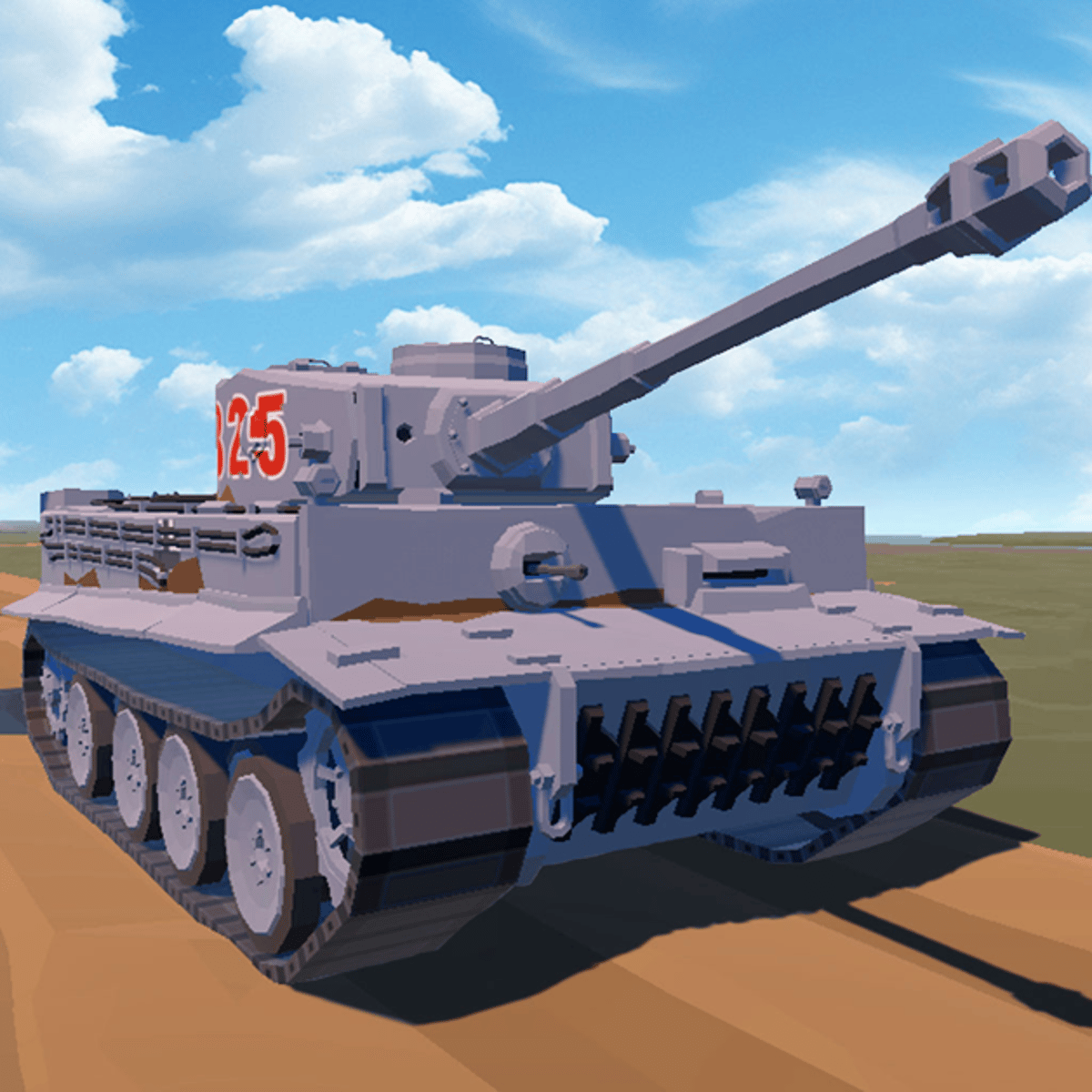
You control a heavy tank, roll across a battlefield, blast through bunkers, and coordinate with teammates—no console or gaming PC required. Tiger Tank 2 is a free browser-based shooter that takes the original Tiger Tank and gives it a full 3D makeover. You drive a tank, you’ve got allies, and your job is to push forward, smash the enemy’s base, and keep your own fortress standing. Simple on paper, but once you start playing, positioning, aim, and timing matter a lot more than just mashing the fire button.
The game has been around since May 2026 and already racked up over 23,000 votes with a solid 4.4 rating. That’s not a fluke. It’s the kind of game you jump into for a quick round and suddenly realize an hour has passed. The controls are tight, the explosions feel satisfying, and there’s just enough strategy to keep you thinking without bogging you down in menus or upgrades. Whether you’re on a desktop or a phone, it runs smoothly, and the matchmaking usually finds you a game in seconds.
How to Play
The objective is straightforward: work with your team to destroy the enemy’s base while defending your own. The battlefield is littered with bunkers, obstacles, and open sightlines. You’re not just driving around shooting randomly—you need to push forward, take cover, and coordinate with teammates to break through defensive lines.
Desktop controls:
- Move: W, A, S, D or arrow keys.
- Fire: Left mouse button.
- Aim / range indicator: Right mouse button (hold to see where your shell will land).
- Lock onto an enemy: Shift key (useful for keeping your turret trained on a moving target while you reposition).
Mobile controls:
On a phone or tablet, the game switches to virtual joysticks and buttons. The left side of the screen controls movement, the right side lets you aim and fire. It’s a bit more cramped than a keyboard, but the auto-aim assist helps compensate. Tap the fire button to shoot, and drag your finger to adjust your aim. The lock-on feature works by tapping an enemy icon that appears near your crosshair.
One thing that trips people up: the right-click range indicator on desktop is your best friend. It shows the arc of your shell, so you can lead moving targets and hit enemies behind low cover. On mobile, that same information is shown as a dotted line, but it’s less precise. Spend a few rounds just learning how your shells drop over distance—it makes a huge difference.
Game Modes
Tiger Tank 2 doesn’t have a dozen modes. It’s focused on one core experience: team-based base assault. You’re dropped into a match with a handful of allies against an equal number of enemies. The map is symmetrical, with each side having a fortress and several bunkers in between. The match ends when one base is destroyed.
There’s no single-player campaign or survival mode here. It’s purely PvP, and that’s fine—the game is designed for quick, repeatable rounds. The lack of mode bloat means you spend more time actually fighting and less time in lobbies. If you want variety, the map rotation (there are a few different layouts) and the unpredictability of human opponents keep things fresh.
Tips and Strategies
You can’t just drive straight at the enemy base and hope for the best. That gets you killed in about ten seconds. Here’s what actually works:
Stick with at least one teammate. Lone wolves get picked off by crossfire. If you see a teammate pushing a flank, go with them. Two tanks focusing the same target kill it twice as fast, and you can cover each other’s reloads.
Use bunkers as mobile cover. The bunkers on the map aren’t just decoration. They block enemy shells and give you a place to peek from. Drive up to one, pop out to fire, then reverse behind it while you reload. Don’t sit still—a stationary tank is a dead tank.
Learn to lead your shots. The shells have travel time. If an enemy is moving sideways, aim a little ahead of them. The right-click range indicator helps, but you need to develop a feel for it. Practice on moving targets during the opening seconds of a match, when everyone is still scrambling for position.
Prioritize enemy tanks that are attacking your base. It’s tempting to chase kills, but if your base is taking damage, you’re losing. Fall back and defend. A single tank left unchecked can chip away at your fortress surprisingly fast.
Use the lock-on (Shift on PC) sparingly. It’s great for keeping your turret aimed at a fast-moving target while you drive, but it can also lock you onto the wrong enemy or make your aim too rigid. I use it mostly when I’m backing away from a fight and need to fire over my shoulder. Otherwise, manual aiming gives you more control.
Don’t waste shots on bunkers. You can destroy them, but it takes several shells and gives your position away. Only shoot bunkers if they’re blocking your line of fire or if you need to create a new path for your team.
Common Mistakes
New players tend to make the same errors over and over. Avoid these and you’ll instantly be better than half the lobby.
Driving into the open. The middle of the map is a kill zone. There’s no cover, and enemies on both sides can see you. Stick to the edges or use the bunker lines. If you have to cross an open area, do it fast and zigzag.
Forgetting to reload. Each tank has a magazine of a few shells before a short reload. New players fire all their shots, then sit there helpless while the enemy closes in. Fire two or three shells, then pull back to reload behind cover. Never let your magazine hit zero in the middle of a fight.
Ignoring the minimap. The minimap shows where your teammates are and where the enemy has been spotted. If you see a red dot flanking your position, adjust. Too many players tunnel-vision on what’s in front of them and get shot from the side.
Overusing the lock-on. As mentioned, it’s a tool, not a crutch. If you rely on it too much, you’ll miss shots that require a little finesse, like hitting an enemy peeking from behind a bunker. Practice free-aiming.
Not adjusting for mobile vs. desktop opponents. If you’re on PC, you have an advantage in precision aiming. Use it. If you’re on mobile, you have better mobility (touch controls let you turn faster). Play to your platform’s strengths.
FAQ
Is Tiger Tank 2 free to play?
Yes, completely free. You can play it in your browser on Poki without any downloads or payments.
Can I play with friends?
There’s no direct friend invite system in the browser version. You’ll be matched with random players. However, if you and a friend queue at the same time, you might end up on the same team—it’s not guaranteed, but it happens.
Does the game have any upgrades or progression?
No. Every tank is the same. There are no unlockable weapons, skins, or stat boosts. The only thing that changes is your skill. This keeps the playing field level.
What devices support Tiger Tank 2?
It works on desktop computers (Windows, Mac, Linux via browser) and mobile devices (phones and tablets, both iOS and Android). The controls adapt automatically.
Who made this game?
It was developed by Devoting, the same team behind Tiger Tank, Dogfight, and Fury Warship. They specialize in browser-based action games that run well on modest hardware.
##
Tiger Tank 2 doesn’t try to be more than it is. It’s a solid, no-frills tank shooter that respects your time. The matches are short, the action is clear, and the skill ceiling is high enough that you’ll keep coming back to improve. If you’re in the mood for some quick armored warfare, give it a shot. Just remember to watch your flanks.