







Tiles master
Sometimes you just want to shut your brain off for a few minutes but still feel like you’re accomplishing something. Tiles master does exactly that. It’s a puzzle game that looks simple at first—pick up tiles, match three of the same kind, watch them vanish. But the moment you start playing, you notice a quiet tension underneath. The vertical stack of tiles isn’t decorative; you can only grab from the top layer, and your little holding area fills up fast. One wrong pick and you’re stuck with a tile you can’t match, watching your available space shrink.
Developed by Tuki Tuki Games, Tiles master landed in November 2024 and has already racked up a solid 4.3 rating from nearly 19,000 votes. It’s the kind of game that works well in short bursts—waiting for coffee, during a commute, or when you need a break from more demanding stuff. The mechanics are straightforward enough that anyone can pick it up, but strategy creeps in after a few rounds. You start thinking two or three moves ahead, wondering if grabbing that tile now will screw you over later.
I’ve played a lot of match-three games, and most of them rely on flashy animations or endless boosters to keep you hooked. Tiles master doesn’t bother with that. It trusts the core loop: pick, match, clear, repeat. And somehow, it works. There’s a rhythm to it, a kind of meditative flow that makes you say “just one more round” until you’ve lost an hour. Let’s break down how it actually works and how you can stop choking when the board gets crowded.
How to Play
The objective is deceptively simple: clear all the tiles from the vertical puzzle board by matching three identical ones. But you can’t just grab any tile you want. The board is stacked in layers, and you’re only allowed to pick tiles that are fully exposed—no tile sitting on top of another. This means you have to work your way down, peeling off the top layer first.
When you click or tap a tile, it moves to a temporary storage area at the bottom of the screen. This “tray” has limited slots, usually seven. Once you have three matching tiles in the tray, they automatically merge and disappear, freeing up space. If the tray fills up with mismatched tiles, the game ends. So your real enemy isn’t the board itself—it’s the limited buffer you have to work with.
On desktop: Just click any available tile with your mouse. The game is built for point-and-click precision, so it’s easy to grab exactly what you want. There’s no drag-and-drop or tricky timing; it’s all about selection.
On mobile: Tap the tile you want. The interface scales nicely to touchscreens, and the tiles are big enough that you won’t accidentally pick the wrong one—unless your fingers are especially clumsy. Both Android and iOS browsers work fine, and the game runs smoothly even on older devices.
The game doesn’t have a timer or move limit in the standard mode, so you can take as long as you want to think. That’s a relief, because the real pressure comes from the spatial puzzle itself, not a ticking clock. You can undo your last pick if you make a mistake, but undos are limited (usually a handful per game), so use them wisely.
Features
Tiles master doesn’t have multiple game modes in the traditional sense—no time attack or endless mode that I could find. Instead, it focuses on a single, polished experience with a few handy extras.
Power-ups: You get access to a few tools that can bail you out of tight spots. There’s a shuffle option that rearranges the remaining tiles on the board, which can break deadlocks when you’re stuck with no matching pairs visible. There’s also an undo button (mentioned above) and a hint button that highlights a possible match. These aren’t infinite; you’ll see a limited number of uses per game, so you can’t just spam them. It forces you to rely on your own planning most of the time.
Level progression: The game presents a series of levels, each with a new tile layout. Early levels are small and forgiving, with only a few tile types and straightforward stacking. Later levels introduce more tile varieties (like eight or ten different symbols) and deeper layers, which makes it much harder to find matches without flooding your tray. There’s no strict difficulty curve—sometimes a later level feels easier than one in the middle—but generally, things get tighter as you go.
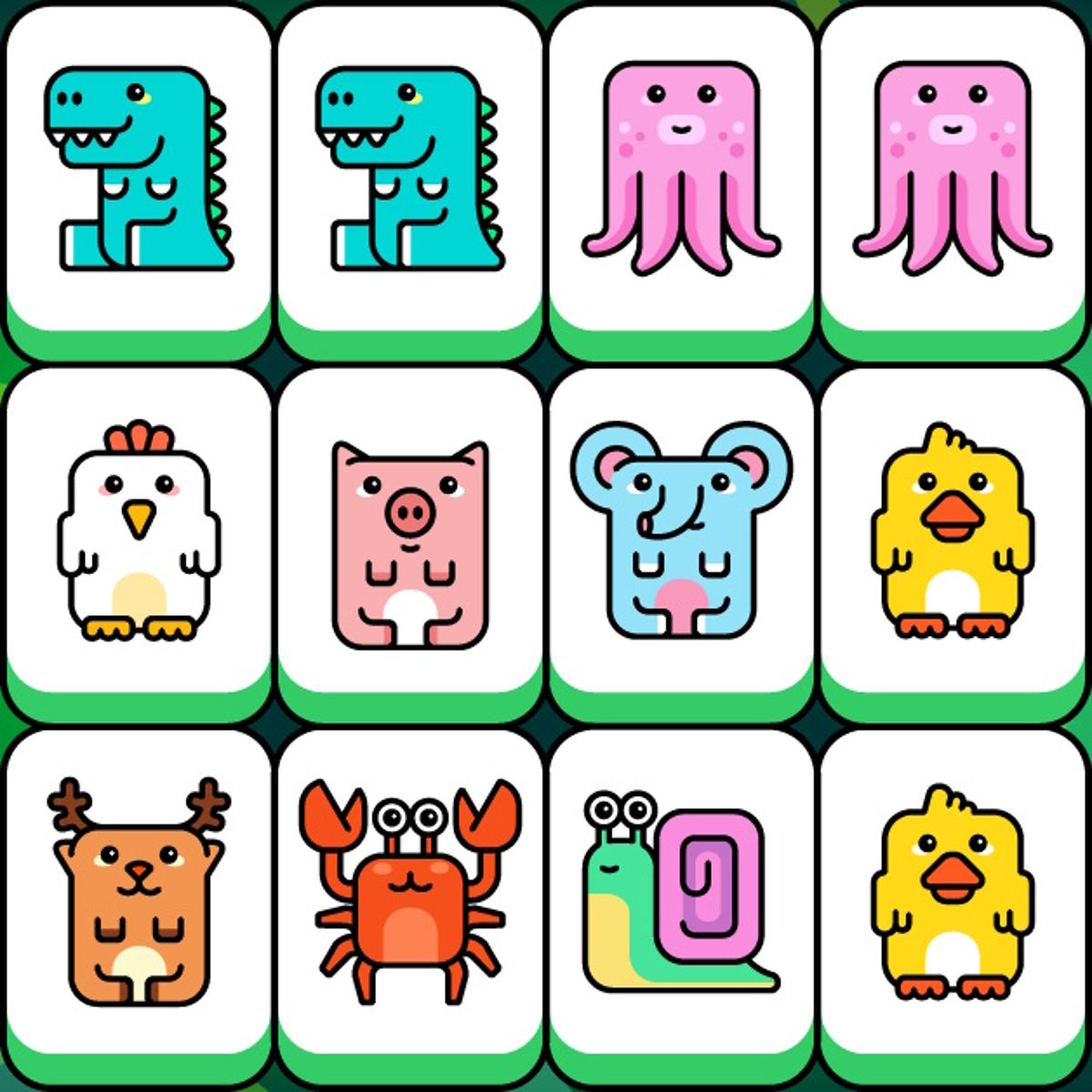
Visual style: The tiles are colorful and distinct, with clear icons (fruits, animals, geometric shapes, etc.). The background is calm and unobtrusive. No particle effects, no distracting animations. It’s clean and functional, which is exactly what a game like this needs.
Tips and Strategies
After spending a fair amount of time with Tiles master, I’ve picked up a few habits that consistently help me avoid that dreaded “tray full” screen.
Look before you leap. The most obvious tip, but the one most people ignore. Before you grab any tile, scan the board for tiles that are buried under multiple layers. If you see a tile you’ll need later but it’s stuck under three others, you might want to clear those top tiles first. Sometimes you have to pick a tile you don’t need just to expose something deeper. That’s fine—just make sure you have room in your tray for the “sacrifice” tile.
Keep your tray balanced. It’s tempting to grab all tiles of one type as soon as you see them, but that can backfire. If you pick two apples and then can’t find a third apple because it’s hidden, you’re stuck with two apples taking up space. Instead, try to keep your tray diversified. Only commit to a pair when you’re reasonably sure the third is accessible soon. If you have three different pairs waiting, that’s six slots filled—dangerously close to the limit.
Use hints sparingly. The hint button can save you when you’re truly stuck, but relying on it too much means you’re not learning the board. I use hints only when I’ve stared at the board for more than a minute and can’t see any move. Often, the hint reveals a match I overlooked because a tile was partially hidden. It’s a teaching tool as much as a crutch.
Prioritize tiles with few duplicates. Some tile types appear only three times on the board (one set). Others appear six or nine times. If you pick a tile that has only one matching pair left, you better be sure you can get both of those other tiles. If you pick a tile from a set that appears multiple times, you have more flexibility. So when in doubt, go for the common tiles first.
Don’t be afraid to undo early. The undo button is limited, but it’s more valuable early in a level than late. If you realize you made a bad pick within the first few moves, undo it immediately. Later in the game, you might need that undo to fix a critical mistake. Save at least one undo for the final stretch—you’ll thank yourself.
Common Mistakes
Even experienced puzzle players fall into the same traps in Tiles master. Here are the ones I see most often.
Grabbing tiles from the top layer without checking underneath. The top layer is always visible, but sometimes the tile you want is actually part of a set that’s mostly buried. You grab it, then realize the other two are under three layers of other tiles. Now you’re stuck with a tile you can’t match for a while. Always assess what’s underneath before you pick.
Filling the tray with pairs. This is the classic newbie error. You see two cherries, you grab them. Then you see two bananas, grab those too. Now your tray has four tiles, but you still need one more cherry and one more banana. If those third tiles are deep in the stack, you’re in trouble. Pairs are dangerous unless you know the third is coming soon.
Ignoring the shuffle power-up until it’s too late. Some players hoard power-ups like they’re saving for retirement. But a shuffle can completely change the board layout, often exposing matches you couldn’t see. If you’re stuck and have a shuffle available, use it. Don’t wait until the tray is full and you have no moves left—by then, shuffling might not help because your tray is already clogged.
Playing too fast. There’s no timer, so why rush? Yet people click quickly out of habit, especially if they’re used to fast-paced puzzle games. Slow down. Look at the whole board. Count how many of each tile type are visible. Plan your next three moves. The game rewards patience.
FAQ
*Is Tiles master free to play?*
Yes, the game is completely free on Poki. No downloads or purchases required—just open your browser and play.
Can I play on mobile?
Absolutely. The game works on both desktop and mobile browsers. The touch controls are responsive, and the layout adapts to smaller screens.
How many levels are there?
There isn’t a fixed number listed, but the game offers a continuous series of levels that gradually increase in difficulty. New levels seem to be added over time.
What happens if I run out of undos?
You can still restart the level from scratch. There’s no penalty for restarting, so feel free to try again if you mess up. The board layout stays the same for that level, so you can learn from your mistakes.
Does the game have ads?
Since it’s a free browser game, you might encounter ads between levels or in the interface. They’re not intrusive, and you can usually close them quickly.
---
Tiles master doesn’t try to reinvent the wheel. It takes a classic match-three concept, adds a spatial stacking twist, and polishes it until it feels just right. Whether you’re killing five minutes or settling in for a longer session, it delivers exactly what it promises: a clean, satisfying puzzle that makes you feel smart when you crack it. Give it a try—but don’t blame me when you lose track of time.