




Bee Sort by Sam
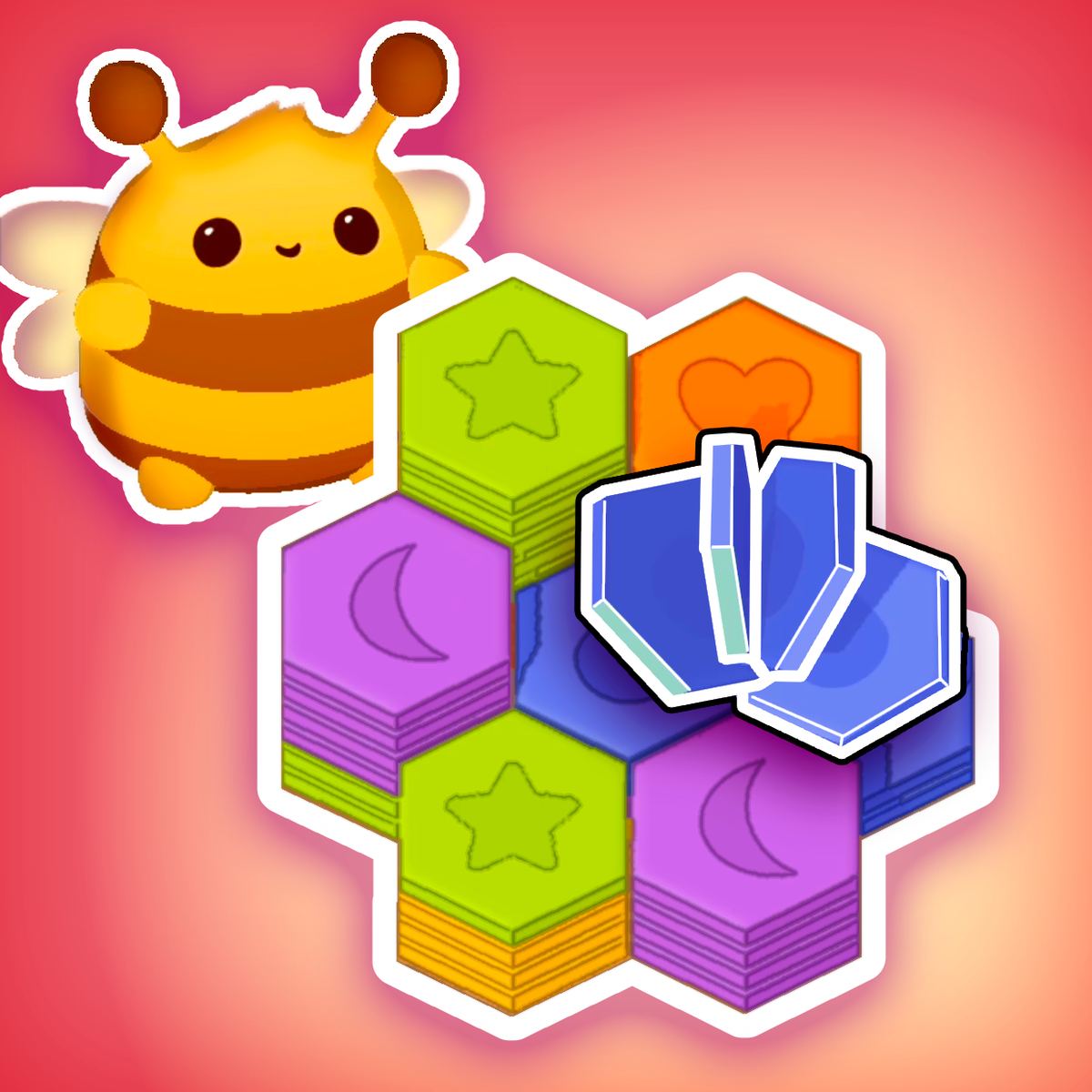
Sometimes you just want to sit back, turn your brain down a notch, and sort things into neat piles. Bee Sort by Sam scratches that itch. It’s a hexagon-matching puzzle where you stack colorful honeycomb pieces, pair them by color, and feed the results to a tiny, cheerful bee. The twist: each completed match chips away at a hidden painting, gradually revealing a full picture as you clear the board.
The game comes from developer Games By Sam, and it landed on Poki in September 2025. With a 4.3 rating from over two thousand votes, it’s already found an audience that appreciates its gentle pace and satisfying click-and-drop rhythm. No timer breathing down your neck, no score multiplier punishing a slow move—just you, a stack of hexagons, and a bee that seems genuinely grateful for your help.
What keeps people playing is that slow-burn reveal. Each level starts with a jumble of colored hexagons. You pick them up, move them around, and try to get three of the same color touching. When you do, they fuse into a single piece and vanish, earning you progress toward the painting. The puzzles aren’t brutally hard, but they’re just tricky enough to make you stop and think. And the bee? It bobs around the screen, waiting for its snack. You don’t want to let the bee down.
How to Play
The core mechanic is simple: click (or tap) and hold a hexagon, drag it to a new spot on the honeycomb grid, then let go to drop it. That’s your only action. The challenge comes from the hexagon-based layout—pieces stack on top of each other, so you have to plan moves so matching colors end up adjacent, either side-by-side or stacked.
On desktop, use the mouse. Hold down the left button on a hexagon, move the cursor where you want it, and release. On mobile, it’s the same gesture with your finger. The game handles touch input well—no weird delays or missed taps. I played on both a laptop and a phone, and the experience felt nearly identical. The only difference is that on a small screen you might need to pinch to zoom, but the game adapts to the viewport automatically.
The objective for each level is to remove all hexagons by matching them in groups of three or more of the same color. Once the board is clear, the painting segment unlocks, and you move to the next puzzle. There’s no time limit, no move counter, no star rating—just completion. That relaxed design is a big part of why the game works so well for short sessions or long, lazy afternoons.
Features
Bee Sort by Sam doesn’t pile on a dozen different modes, but it does have a few smart touches that keep the experience fresh.
Hidden painting reward system. Every level hides a piece of a larger illustration behind the hexagons. As you match and clear tiles, sections of the painting are revealed. It’s not just a static background—the art is actually built from the hexagon grid itself. The paintings are whimsical, often featuring the bee in different scenes. Seeing the full picture after clearing a tough level is genuinely satisfying.
Progressive difficulty. Early levels are generous—lots of open space, plenty of matching opportunities. Around level 15 or so, the boards get tighter, with more colors and fewer adjacent slots. You’ll start needing to stack pieces on top of each other, which means you have to think about the order you drop them. A wrong stack can bury a needed color, forcing you to work around it.
No pressure, no penalties. This is a feature because so many puzzle games punish you for taking your time. Here, you can stare at the board for five minutes, try a move, undo it mentally, and try something else. The game doesn’t care. That’s a rare kindness in the puzzle genre.
Cross-platform save. If you log in with a Poki account, your progress syncs across devices. I started on my phone during a commute, then picked it up on my desktop later. No progress lost.
Tips and Strategies
After playing through about 30 levels, I picked up a few tricks that make the game a lot smoother.
Work from the edges inward. The center of the board gets crowded fast. If you clear hexagons from the outer edges first, you create more room to maneuver. Pieces on the edge have fewer neighbors, so they’re harder to match unless you bring other pieces to them. By clearing edges early, you avoid getting stuck with a lone hexagon that has no matching partner nearby.
Don’t stack too deep. You can stack hexagons on top of each other, but each stack has a limit (usually three or four high, depending on the level). If you stack a color you need on top of another color you also need, you’ll have to clear the top piece first. That can mess up your plan. Try to keep stacks uniform in color, or at least don’t bury a color that has few remaining copies.
Use the undo feature. I didn’t notice this at first, but there’s an undo button (usually a small arrow in the corner). If you drop a hexagon in a bad spot, you can take it back. It doesn’t cost anything. Use it liberally while you’re learning. Later, you might want to challenge yourself to play without undo, but there’s no reward for doing so—it’s purely personal preference.
Watch for forced matches. Sometimes the board is arranged so that two hexagons of the same color are already adjacent. Before you move anything, scan the entire board. You might spot a match you can make immediately. That’s an easy clear and gives you more room.
Plan for the painting. The hidden painting isn’t just cosmetic—it’s built from the same hexagon grid. If you see a pattern emerging (like a section of blue sky or a green leaf), you can anticipate which colors will be abundant. That’s useful for predicting where matches might appear later.
Common Mistakes
New players tend to fall into the same traps. Here’s what to watch out for.
Moving pieces randomly. It’s tempting to just grab any hexagon and drop it somewhere, hoping a match happens. That rarely works. You need a plan, even a simple one. Otherwise you’ll end up with a board full of isolated pieces that can’t be matched.
Ignoring the stack limit. You can’t stack hexagons indefinitely. If you keep piling pieces on top of each other without matching them, you’ll run out of vertical space. Then you’re stuck with a column of mismatched colors that you have to dismantle one by one. That’s slow and frustrating.
Forgetting about the bottom layer. The grid has multiple layers. Hexagons on the bottom layer are partially hidden by the ones above. It’s easy to lose track of what’s underneath. Before you drop a piece, check what’s below—you might be covering up a match you could have made.
Over-relying on undo. The undo button is a safety net, but if you use it every single move, you’re not really learning the puzzle. Try to commit to a move and see how it plays out. You’ll develop better intuition for spatial planning.
Not feeding the bee. Okay, this isn’t a gameplay mistake—the bee doesn’t actually need to be fed to win. But there’s a small animation where the bee bounces and chirps when you clear a match. If you ignore it, you miss out on the game’s charm. Don’t be that person.
FAQ
Is Bee Sort by Sam free to play?
Yes, the game is free on Poki. No in-game purchases or ads that interrupt gameplay. There might be a banner ad on the page, but it doesn’t affect the game itself.
Can I play on mobile?
Absolutely. The game works on both phones and tablets. The touch controls are responsive, and the board scales to fit your screen. I’ve played it on an iPhone and an Android tablet without issues.
How many levels are there?
The game doesn’t advertise a total count, but based on community discussion and my own progress, it seems to have around 60–70 levels. New ones might be added over time.
Does the game save my progress?
If you’re playing on Poki, your progress is saved automatically in your browser’s local storage. If you clear your cache or switch browsers, you’ll lose it. Creating a Poki account lets you sync across devices.
Is there a time limit?
No. You can take as long as you want on each puzzle. There’s no score, no timer, no pressure. It’s purely about solving the layout.
Closing
Bee Sort by Sam is the kind of game you open when you need five minutes of calm. It’s not trying to be the next big brain-burner; it just wants to help you sort some hexagons and see a pretty picture at the end. The bee doesn’t judge if you take your time, and the undo button forgives your mistakes. If you like match-three puzzles but wish they’d slow down and drop the combo multipliers, this one’s worth a try.