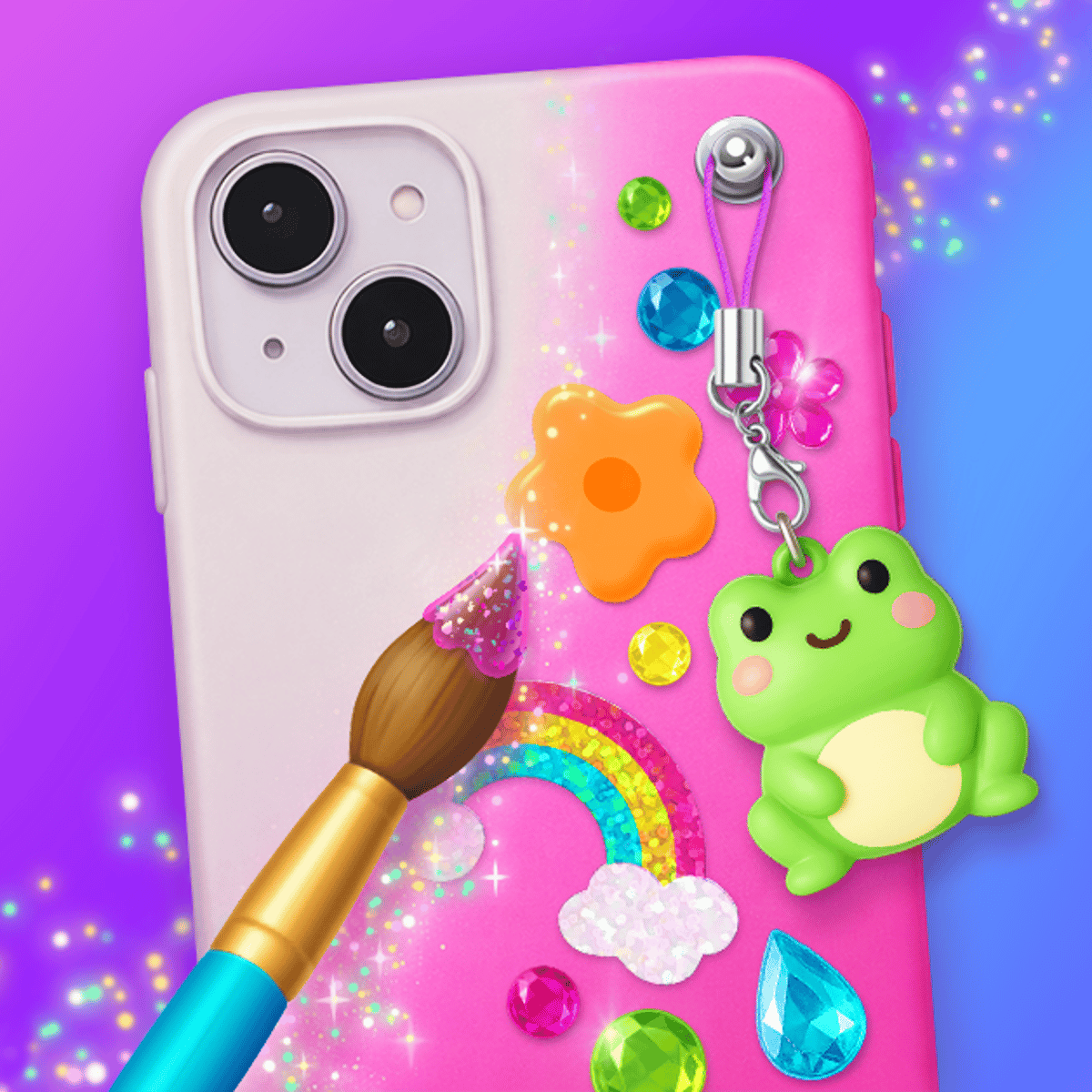








Phone CASE DIY
There's a particular satisfaction in running a small virtual shop where your only job is to make phone cases look great. Phone CASE DIY, developed by WeLoPlay, taps into that simple appeal. This browser-based simulation places you in charge of your own case design studio. Customers come in with requests, and you get to work painting, applying stickers, and decorating to build your business.
What draws people back isn't just the crafting—it's the loop. You design a case, hand it over, get paid, and invest that money back into improving your shop. A mild tycoon layer sits on top of the creative sandbox, giving the experience a momentum that pure dress-up games can miss. You're not decorating in a vacuum; every design earns you something.
The game also has a playful, sometimes cheeky, personality. Customers aren't always courteous, and you have the option to deliberately mess with the rude ones instead of serving them properly. It's a small touch, but it adds character. Some players stay for the art, others for the shop management, and some just want to prank virtual Karens. Whatever the reason, it delivers a low-pressure creative outlet that loads instantly in your browser.
How to Play
The controls are straightforward, which is part of the appeal. On desktop, everything uses mouse clicks—selecting options, picking colors, dragging stickers, and confirming choices all with left-click. On mobile devices (both phones and tablets), you tap instead. There are no swipe gestures or complicated menus to navigate.
A typical session flows like this:
A customer arrives at your shop with a request (or sometimes, just an attitude). You choose a phone case style from the available options. Then you enter the design phase, where you select colors, patterns, and decorative elements like stickers or accessories. Each step presents on-screen visual choices; tap or click the one you like, and the game applies it in real time so you can preview the look before proceeding.
Once the case is complete, you hand it over and collect your payment. That money goes directly into your shop fund. Between customers, you can spend coins on shop upgrades, new decor items, and unlocking additional customization options. The game guides you through each stage intuitively, so there's no real learning curve. If you can tap a screen, you can play.
Game Modes
Phone CASE DIY doesn't feature separate modes with different rulesets. It's a single, continuous experience: serve customers, earn money, upgrade, repeat. The variety comes from your expanding toolkit. As you progress and invest in your shop, you unlock new case shapes, more color palettes, fancier stickers, and additional decorative accessories. Early on, you work with basics—solid colors, simple stickers. Later, you gain access to more elaborate options for creating genuinely eye-catching pieces.
The "prank annoying customers" mechanic adds a light secondary layer. When a rude customer walks in, you can choose to give them a deliberately terrible case or pull a joke on them. This doesn't heavily impact core progression, but it breaks up the rhythm and adds a bit of comedic edge.
Tips and Strategies
Balance your spending. It's tempting to pour all earnings into shop cosmetics, but unlocking new design tools first gives you more creative options. Better tools lead to better cases, which earn higher payouts. Prioritize upgrades that expand what you can actually create.
Pay attention to customer preferences. Each customer has a preferred style, and matching it earns better rewards. Don't just default to your favorite color. Read their request. If they want something minimalist, avoid drowning the case in neon stickers.
Don't ignore the prank option entirely. It might seem like a wasted interaction, but messing with rude characters can be oddly satisfying. It also keeps the game from feeling like a repetitive assembly line.
Experiment freely. There's no penalty for a "bad" design. The game rewards every completed case, so use the early stages to test combinations. You'll develop a sense for what works as you go.
Upgrade your shop regularly. The shop environment isn't just decoration; it often correlates with unlocking new tiers of design options. Keep investing in it, even when you'd rather save your coins.
Common Mistakes
Rushing through the design phase. The game lets you click through choices quickly, and new players often just pick the first option to move fast. Slow down a little. The designs you create are the core of the experience, and better-looking cases tend to earn more money.
Ignoring customer clues. Every customer provides hints about what they want. Overlooking these details and designing the same style repeatedly gets stale and earns you less. Offering variety is both more profitable and more engaging.
Hoarding money without spending it. Some players get cautious and save up coins without upgrading. Without upgrades, you're stuck with limited design options, which caps your earning potential. Invest early and consistently.
Forgetting the shop itself. It's easy to focus solely on cases and neglect shop upgrades. But the shop is your long-term investment; neglecting it will slow your progress noticeably after the first few sessions.
Overdesigning simple requests. Not every customer wants an elaborate masterpiece. Sometimes a clean, straightforward case is exactly right. Knowing when to keep it simple is just as important as knowing how to go all-out.
FAQ
Is Phone CASE DIY free to play?
Yes. You can play it for free directly in your browser on Poki—no downloads or accounts required.
Does it work on mobile?
It does. The game runs on phones, tablets, and desktop computers. The tap controls on mobile function just as well as mouse clicks on a computer.
Can you save your designs?
The game tracks your shop progress and unlocks as you play. Your created designs are part of the customer service flow rather than a saved gallery, but your overall shop progression is maintained.
Is there an end to the game?
It's an open-ended experience. You keep serving customers, earning money, and upgrading your shop. There's no final level or credits screen—the enjoyment comes from the ongoing creative process.
Who made Phone CASE DIY?
WeLoPlay developed it. They're also behind other creative browser games like Nails DIY: Manicure Master, My Cozy Home, and Anime Dress Up.
Phone CASE DIY is the kind of game you open when you want something easy and creative that doesn't demand quick reflexes or a strategy guide. Whether you have five minutes or fifty, it fits the time you've got.