

Blocks 8
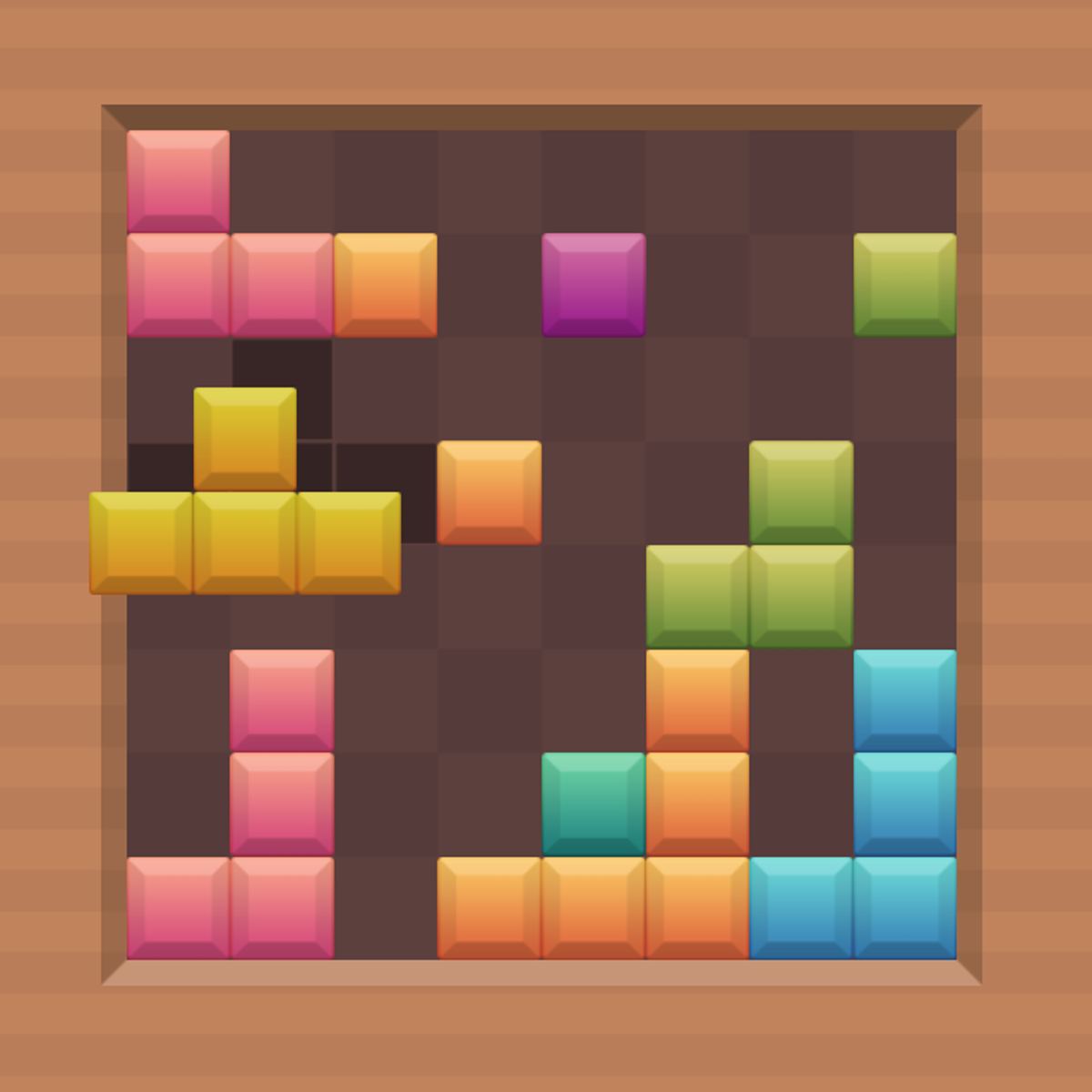
Blocks 8 feels familiar and refreshing at the same time. It takes the core satisfaction of clearing lines from classic Tetris, but swaps the frantic falling pieces for a calm, deliberate drag-and-drop system. You get a set of block shapes, an 8×8 grid, and all the time in the world to figure out where to put them. It rewards planning and patience, not twitch reflexes.
The loop keeps you coming back: place a few blocks, clear a row or column, watch your score climb, then get a new set of pieces. It sounds simple, and it is. But the moment you start squeezing awkward shapes into tight corners, trying to set up a multi-line clear, the game reveals its depth. There’s no timer, no pressure—just you, the grid, and the question of how many points you can squeeze out of each arrangement. I’ve lost more than a few “quick five-minute sessions” to Blocks 8, and I’m not sorry about it.
How to Play
Fill entire rows or columns on the 8×8 grid to clear them and earn points. You’re given a set of block pieces (usually three or four at a time) that come in various shapes—straight lines, L-shapes, squares, and a few odd ones. Drag each piece onto the grid, rotate it if needed, and place it wherever it fits. Once a row or column is completely filled with blocks, it disappears, freeing up space and adding to your score.
Desktop controls: Click and hold a block to pick it up, then drag it to the desired position on the grid. Rotate pieces by right-clicking or pressing the R key. Let go to drop it into place. There’s no snap-to-grid, so you’ll need to align blocks precisely—but the game is forgiving enough that you won’t struggle with finicky placement.
Mobile controls: Tap a block to select it, then drag it onto the grid with your finger. Rotation is usually done by tapping a rotate button on the screen (look for a small circular arrow icon near the piece). The interface is clean and responsive on phones and tablets, though I find the grid a little cramped on smaller screens. Still, it works fine once you get used to it.
If you run out of space and can’t place any of the remaining pieces, the game ends. Your final score is tallied, and you can start a new round immediately. No lives, no power-ups, no ads interrupting every ten seconds—just pure block-slotting action.
Features
Blocks 8 keeps things minimal, which is part of its charm. There aren’t multiple modes or a dozen menus to wade through. What you get is a single, clean game loop with a few nice touches:
- Endless play: No levels, no bosses. You just keep going until you block yourself out. This makes it perfect for short sessions or longer stretches.
- Score multiplier: Clearing multiple rows or columns at once (or both a row and a column simultaneously) gives you bonus points. A single-line clear is worth 10 points, but a double row clear jumps to 30, and a triple row clear to 60. Clearing a row and a column at the same time? That’s a combo bonus.
- Undo button: There’s a small undo arrow that lets you take back your last placement. It’s limited—you can only undo one move at a time—but it’s a lifesaver when you accidentally drop a piece in the wrong spot.
- Clean visual style: The blocks are flat, colorful, and easy to distinguish. The grid has subtle gridlines, and the background is a calm gradient. No distracting animations or particle effects. It looks like a modern, uncluttered take on the genre.
That’s it. No leaderboards (at least not in the browser version I played), no daily challenges, no unlockable themes. For some players, that simplicity is a feature; for others, it might feel a bit bare. I personally appreciate that the game doesn’t try to be anything more than a solid puzzle experience.
Tips and Strategies
You can brute-force your way through Blocks 8 for a while, but to rack up high scores, you need a plan. Here’s what I’ve learned from many, many rounds:
Plan for combos. Don’t just fill rows or columns as they come. Try to set up situations where you can clear multiple lines at once. For example, leave one empty cell in a row and one empty cell in a column that share a corner. If you get a single-block piece, drop it in that corner to clear both lines simultaneously. That’s a combo worth big points.
Use the undo wisely. That undo button isn’t just for fixing mistakes. You can use it to experiment. If you’re not sure whether a piece fits in a certain spot, drop it there to see if it works, then undo if it doesn’t. It’s like having a free preview. Just remember you only get one undo per move, so don’t rely on it too heavily.
Keep the center clear. The biggest danger in Blocks 8 is running out of space in the middle of the grid. If you fill the center early, you’ll struggle to fit larger pieces later. Try to place blocks along the edges and corners first, leaving the middle open for awkward shapes that need more room to rotate.
Rotate before dragging. Get into the habit of rotating a piece to its most likely orientation before you even start dragging it. It saves time and reduces the chance of misclicks. On mobile, this is especially important because rotating after dragging can be fiddly.
Watch the next pieces. The game shows you the upcoming blocks (usually the next set). Use that information to plan ahead. If you see a long straight piece coming, make sure you have a full row or column ready to slot it into. If you see a bunch of small pieces, you might want to fill in gaps rather than build big structures.
Don’t panic. Because there’s no timer, you can take as long as you want. If you feel stuck, step back and look at the whole grid. Sometimes the solution is obvious once you stop focusing on one corner.
Common Mistakes
Even experienced puzzle players fall into these traps. Here are the ones I see most often:
Filling the grid too evenly. It’s tempting to spread blocks out across the whole grid, but that makes it harder to complete any single row or column. Instead, concentrate your placements in one area until you clear a line, then move to another area. This keeps the grid open and manageable.
Ignoring the edges. The outermost rows and columns are the easiest to clear because they’re only one block deep. Yet many players avoid them, thinking they’re wasting space. Actually, clearing an edge row is a quick way to get rid of blocks and reset your score multiplier. Don’t neglect them.
Overusing the undo. The undo button is there for emergencies, not as a crutch. If you undo every other move, you’re not learning to plan ahead. Use it sparingly, and you’ll improve faster.
Forgetting to rotate. Some pieces have multiple valid orientations, but players often try to force a piece into a spot without rotating it first. Always check if a different rotation would fit better. It’s a simple habit that saves a lot of frustration.
Playing too fast. There’s no timer, so rushing is pointless. I’ve seen players drop pieces quickly out of habit, only to realize a second later that they could have placed it in a much better spot. Slow down. Think. The game isn’t going anywhere.
FAQ
Can I play Blocks 8 on my phone?
Yes. It works on both iOS and Android devices through the browser. The controls are touch-friendly, and the grid scales down nicely. Just open the game in Safari or Chrome.
Is Blocks 8 really free?
Yes, it’s completely free to play in your browser. There are no in-game purchases or paywalls. The only interruptions are occasional ads, which are pretty standard for free web games.
How do I rotate blocks?
On desktop, right-click or press the R key. On mobile, look for a rotate button (usually a circular arrow icon) near the block you’re holding. You can also tap the block itself in some versions.
What happens if I can’t place any more blocks?
The game ends and your final score is shown. You can start a new game immediately. There are no continues or second chances—once you’re stuck, it’s over.
Is there a time limit?
No. You can take as long as you want on each move. Blocks 8 is a turn-based puzzle, not a race.
Blocks 8 doesn’t try to reinvent the wheel—it just makes the wheel a little more pleasant to spin. If you’re looking for a no-stress puzzle game that still demands real thought, this one’s worth a few rounds. And a few more after that.