








Mermaid Dress Up
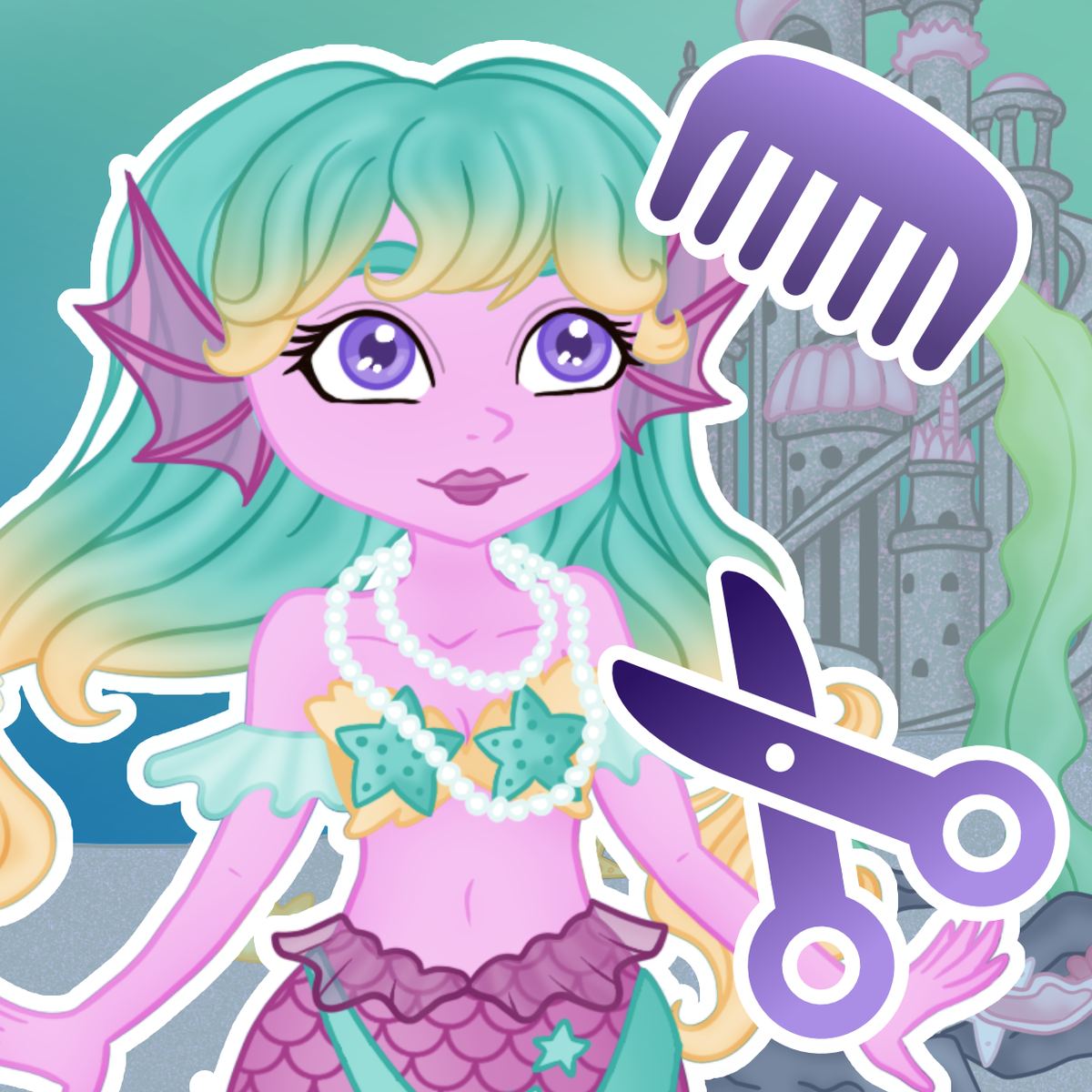
Ever daydreamed about being a sea princess with a glittering tail and a coral crown? There’s a browser game that lets you build that fantasy from scratch. Mermaid Dress Up, from Benri Games, is a pure fashion sandbox set in an underwater kingdom. No timers, no locked items, no in-app purchases—just you, a blank-canvas mermaid, and hundreds of pieces to mix and match. Released in early 2024 and updated that March, it’s already racked up over 125,000 ratings on Poki with a solid 4.5-star average. Not bad for a game that asks nothing of you except a good eye for color.
What makes it stick is the sheer freedom. You can spend five minutes slapping together a quick look or an hour tweaking the exact shade of a tail pattern. The game doesn’t judge either approach. It’s a casual experience that works on a phone during a commute or on a desktop when you need a break from something heavier. And because there’s no pressure to “win,” the only person you have to impress is yourself. That’s surprisingly addictive.
---
How to Play
If you can click or tap, you already know how to play Mermaid Dress Up. The entire interface is point-and-select. On desktop, use your mouse; on mobile, your finger. No keyboard, no drag-and-drop, no hidden gestures.
The objective is simple: create a mermaid look that pleases you. You start with a base character—a pale-skinned mermaid with neutral features—and then work through the categories on the left side of the screen. Each category (skin tone, hair, tops, tails, accessories, backgrounds, and pets) opens a row of options. Click any item to equip it immediately. Click again to unequip. Colors work the same way: tap a color swatch and the currently selected item changes to match.
The game has no “confirm” or “finalize” step. Every change is instant, so you can cycle through a dozen tails in ten seconds. That speed is part of the fun—you can audition ideas rapidly. If you get stuck, there’s a shuffle button (look for the dice icon) that randomizes your entire outfit. It’s a great way to break out of a creative rut.
On mobile, the layout scales down nicely. The categories become a scrollable menu at the bottom, and tapping an item selects it. Everything works in portrait or landscape, though portrait feels more natural for one-handed play. The game runs smoothly on both phones and tablets, no lag or weird resizing issues.
Controls recap:
- Desktop: Left-click on any item or color swatch to equip/change.
- Mobile: Tap on any item or color swatch.
- Shuffle button: Randomizes your entire look.
- Camera button (bottom right): Takes a screenshot of your current mermaid and saves it to your device.
There’s no undo button. If you accidentally click something, you have to click it again to unequip it, or find the original item in the list. It’s a minor annoyance but one you learn to work around.
---
Features
Mermaid Dress Up doesn’t have game modes in the traditional sense—no story chapters, no time trials, no multiplayer. Instead, it offers a single, deep customization suite. But calling it “just a dress-up game” undersells the variety packed in.
Wardrobe Depth
The game includes over 250 individual clothing and accessory items. That number might sound small compared to some RPG wardrobes, but because everything is an illustration rather than a 3D model, each piece has distinct detail. Tails alone come in dozens of patterns: scales, stripes, gradients, galaxy prints, floral motifs, and even a few that look like molten metal. And each pattern can be recolored independently, so a single tail pattern can yield a dozen different looks depending on the hue you pick.
Tops range from simple seashell bras to elaborate armor pieces, flowing robes, and formal gowns that would look at home on a mermaid bride. Accessories include tiaras, necklaces, earrings, bracelets, and handheld items like tridents, seashells, and glowing orbs. You can also change the background—choose from coral reefs, underwater palaces, dark abysses, or scenes with floating jellyfish and treasure chests.
Pets and Props
A nice touch is the pet system. You can add a seahorse, a tropical fish, or a small octopus to your scene. These pets don’t do anything—they just float beside your mermaid—but they add life to the final image. Same with the background props like bubbles and kelp. They’re purely cosmetic, but they help sell the underwater fantasy.
Screenshot Tool
The built-in camera is arguably the most important feature. Because the game doesn’t save your designs automatically, the screenshot button is your only way to keep a look. Pressing it captures the full scene (mermaid, pet, background, all accessories) and saves it as a PNG to your device. The image quality is good—clean lines, no compression artifacts—so you can share it on social media or just keep a gallery of your creations.
Limitations
It’s worth noting what’s not here. There’s no makeup customization: you can’t change eye color, lipstick, or facial expressions. The base character model is fixed—you can only change skin tone, hair color, and hair style. You also can’t rotate the character or zoom in. The view is always a straight-on portrait. Some players might wish for a full-body preview or a side view, but the game sticks to a single static pose.
---
Tips and Strategies
Since there’s no score or competition, “strategy” here means making better-looking mermaids faster and avoiding frustration. Here’s what I’ve learned after spending way too many hours in this game.
1. Use the Shuffle Button as a Muse, Not a Solution
The shuffle button is tempting when you’re stuck, but the results are often chaotic—clashing colors, mismatched themes. Instead of accepting the random outfit, treat it as a prompt. If the shuffle gives you a blue tail with a gold top, maybe that combo is worth exploring. Keep the color pairing and then manually change the patterns. The shuffle is a brainstorming tool, not a finishing move.
2. Save Early and Save Often
This cannot be overstated. The game has no autosave. If your browser crashes or you accidentally close the tab, your current mermaid is gone forever. Take a screenshot every time you reach a look you like, even if you plan to keep tweaking. I keep a folder on my desktop called “Mermaid WIP” and dump screenshots there. Later I can compare versions and decide which one to finalize.
3. Balance Visual Weight
A common newbie mistake is equipping every accessory at once. The game lets you stack a crown, earrings, a necklace, a bracelet, a handheld item, and a pet all in the same scene. That can quickly turn your mermaid into a cluttered mess. Instead, think about silhouette. A huge crown paired with a massive trident and a bright background pet can overwhelm the character. Try to limit accessories to two or three focal points. Let one element—like an elaborate tail pattern—be the star.
4. Use Backgrounds to Set the Mood
The background isn’t just filler. A dark, moody background makes bright colors pop. A light coral reef background can wash out pastel tones. Experiment with different backdrops to see which one complements your mermaid’s palette. Also, some backgrounds have dynamic elements like floating jellyfish or bubbles—these add motion to an otherwise static image.
5. Mix Tail and Top Colors Deliberately
The tail and top don’t have to match, but they should relate. If your tail has a multi-color gradient, pull one of those colors for the top. If your top is a neutral shell, let the tail do the heavy lifting. Avoid putting two busy patterns right next to each other—like a striped tail with a floral top—unless you’re going for a deliberate clash.
6. Experiment with Unusual Skin Tones
The game offers a wide range of skin tones, including fantastical ones like pale blue, deep purple, and sea green. Don’t default to human skin colors. A mermaid with lavender skin and a gold tail looks otherworldly in a good way. The fantasy setting encourages wild choices.
---
Common Mistakes
Even though the game is simple, new players trip over the same few things. Here are the pitfalls to avoid.
Forgetting to Save
I already mentioned this, but it’s the number one complaint in comments and forums. Players spend twenty minutes crafting a perfect mermaid, then close the tab out of habit, and… gone. The game does not warn you before exiting. There’s no “Are you sure?” dialog. You must consciously use the camera button before leaving.
Overloading the Scene
More isn’t always better. I’ve seen screenshots where the mermaid is barely visible behind a giant trident, a seahorse, and a sparkle effect. The game’s art style is clean and flat, so too many overlapping elements create visual noise. Step back and ask yourself: “What is the first thing someone will look at?” If the answer is “the trident,” maybe lose the trident.
Ignoring the Pet’s Placement
Pets float at a fixed position—usually to the side of the mermaid. But if your mermaid is holding a trident on that same side, the pet and trident can overlap awkwardly. Try equipping the handheld item on the opposite side of the pet, or choose a pet that’s small enough to fit without clashing.
Not Experimenting with Color
Some players pick the first color that looks okay and move on. But the color picker is deep—each item has a palette of maybe twenty hues. A tail that looks mediocre in blue might look stunning in a deep crimson. Cycle through the colors even if you think you’ve found “the one.” You might surprise yourself.
Expecting a Story or Progression
This is not an RPG. There are no quests, no unlocks, no achievements. If you’re the kind of player who needs a goal to stay engaged, Mermaid Dress Up might feel aimless. The only progression is your own skill at combining colors and shapes. That’s fine for a creative tool, but some people bounce off it because they want a game with a win condition. Know what you’re getting into.
---
FAQ
Can I play Mermaid Dress Up on my phone?
Yes. It works on both desktop and mobile browsers. The controls are identical—just tap instead of click. It’s optimized for touchscreens and runs well on phones and tablets.
Is there any way to save my mermaid without taking a screenshot?
No. The game has no cloud save, no account system, and no local save file. The screenshot tool is the only method. If you want to keep a design, you must save the image to your device.
Are there in-app purchases or ads?
The version on Poki is completely free with no microtransactions. You might see a short ad before the game loads, but there are no ads during gameplay. The entire wardrobe is unlocked from the start.
Can I share my mermaid on social media?
Yes. The screenshot saves as a standard PNG image. You can upload it to Instagram, Twitter, TikTok, or wherever you like. The image includes the background and all accessories.
Will the game work on a school computer?
It’s a browser game that runs on HTML5, so it should work on any modern browser—Chrome, Firefox, Safari, Edge. No plugins needed. However, some school networks block gaming sites like Poki. If that’s the case, you’ll need a different host.
---
Mermaid Dress Up isn’t trying to be the next big thing. It’s a quiet corner of the internet where you can make pretty mermaids and forget about everything else for a while. The lack of pressure is its biggest strength. No one’s keeping score. You just pick colors, click things, and see what happens. And if you remember to hit that camera button, you get to keep the best ones.